

Mobile Auto Repair Phone Call Leads Check
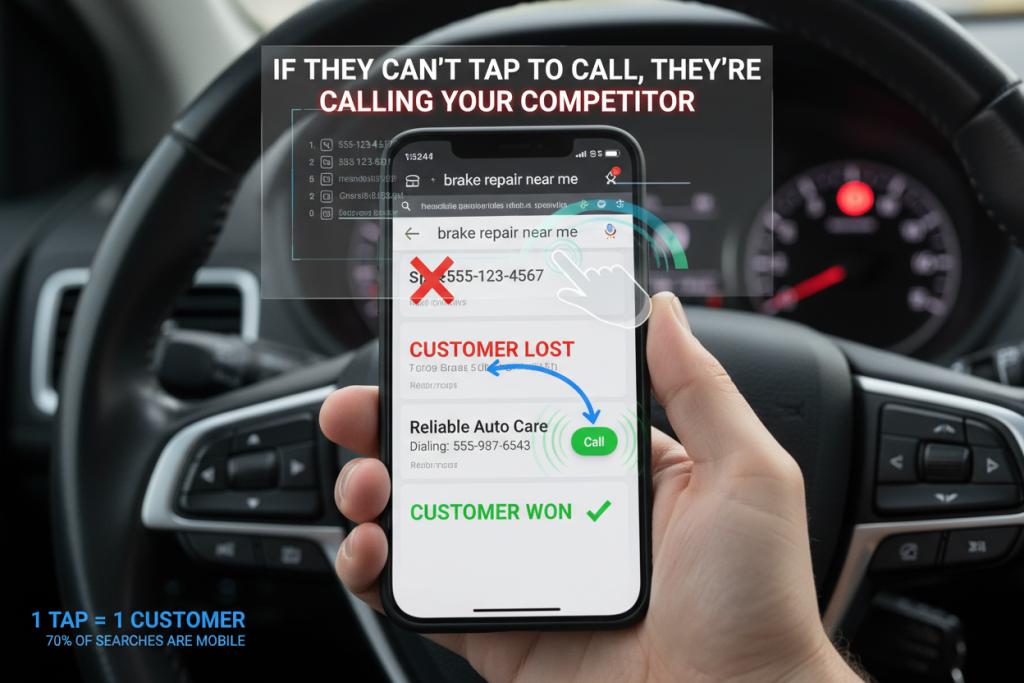
A driver searching for brake repair, a no-start diagnosis, or roadside help does not become a phone lead when a page loads. The opportunity becomes real only when the driver can confirm that the business handles the problem, serves the location, is available, and can be reached through the number on the screen.
Mobile auto repair phone call leads are calls that begin on a smartphone after a search result, Google Business Profile, ad, service page, or service-area page creates enough confidence to call. The term includes phone-led demand for fixed-location repair shops as well as calls to mobile mechanics that travel to the customer.
A working phone link is only one part of that path. The visible number, hours, service promise, button placement, tap behavior, call routing, and fallback when the business is closed all have to agree. The audit below tests what the customer sees and experiences from the first search result through the call connection.
Quick answer: Protect mobile auto repair phone call leads by testing six stages in order: the search surface, service and location context, call control, dial action, live connection, and agreed next step. Fix any wrong number, failed dial action, disconnected route, or false availability message before sending more traffic to the page.
Contents:
- What Counts as a Mobile Auto Repair Phone Call Lead?
- Start With Five Repair-Call Scenarios
- Audit Google Business Profile and Mobile Ads
- Audit the First Mobile Screen
- Make Every Phone Action Reliably Tappable
- Match the Call Path to Mobile and Service-Area Work
- Test Tracking Numbers Without Rebuilding Attribution
- Run the 10-Minute Mobile Call Test
- Score the Mobile Call Path
- Prioritize Fixes by Lost-Call Risk
- Measure the Path Without Confusing Taps With Leads
- What Happens After the Call Connects
- Mobile Call UX Checklist
- FAQ
- Conclusion
What Counts as a Mobile Auto Repair Phone Call Lead?
The phrase can describe two overlapping situations. A customer may use a mobile device to call a conventional repair shop, or the customer may be looking specifically for a mechanic who performs work at a home, workplace, parking lot, fleet yard, or roadside location. The call interface must clarify which situation the business supports before the customer taps.
The most useful audit follows six observable stages. A failure at any stage can make a healthy traffic source look weak or send an unsuitable caller to the front counter.
| Stage | Customer question | Pass condition |
|---|---|---|
| Search surface | Is this business relevant to my problem? | Listing or ad matches the real service and location |
| Service context | Do they handle my vehicle, concern, and area? | The page answers fit before asking for the call |
| Call control | Where do I tap? | A labeled phone action is visible and unobstructed |
| Dial action | Will this call the right business? | The dialer opens with the intended destination |
| Connection | Can I reach someone or leave a useful request? | Routing, voicemail, or fallback matches current availability |
| Next step | What happens now? | The call can become a qualified request, appointment, estimate, or dispatch |
Traffic acquisition sits before this audit, and advisor performance sits after it. The mobile call path owns the handoff between those two systems: the customer sees the right promise, taps the right control, and reaches the right destination.
Start With Five Repair-Call Scenarios
A single generic Call Now button cannot resolve every repair intent. Test the phone path with scenarios that reflect how the business actually works. This catches mismatches that a visual homepage review will miss.
| Scenario | What must be clear before the tap | Best primary action |
|---|---|---|
| Urgent safety concern | Current availability, supported work, and approved tow or safety guidance | Call now |
| Routine maintenance | Service offered, location, hours, and scheduling expectation | Call or request appointment |
| Mobile mechanic request | Service area, job fit, location requirements, and response expectation | Call or request mobile service |
| Collision estimate | Estimate process, inspection requirement, and photo or insurance expectations | Call or request estimate |
| Truck or fleet downtime | Vehicle class, coverage area, operating hours, and dispatch limitations | Call dispatch or fleet contact |
Do not imply emergency coverage, towing, same-day service, mobile dispatch, financing, or a guaranteed appointment unless the business can deliver it. A call button can remove friction, but it must not remove the information a driver needs to make a safe decision.
Audit Google Business Profile and Mobile Ads
Many calls begin before the customer reaches the website. Google Business Profile guidance allows a business to maintain a primary phone number and additional contact numbers. Confirm that the public number reaches the intended location, team, or mobile operation rather than relying only on what appears in the profile editor.
Hours need the same treatment. Google’s business-hours controls support regular, split, special, and service-specific hours. Compare the profile with the website, voicemail, and actual staffing, including holidays. A profile that says Open while the phone route says Closed creates a failure even when both systems work technically.
For paid search, Google Ads call assets can be scheduled for the days and hours when the business is prepared to answer. Test the real mobile ad experience or an approved preview, the landing page reached from the ad, and the phone destination. Do not assume the account setting proves the customer path works.
Record four results for each surface: number shown, hours shown, service or location promise, and what happens after the tap. That compact record makes discrepancies visible without turning the audit into a full advertising review.
Audit the First Mobile Screen
The first mobile screen should answer four questions quickly: what the business repairs, where the service is available, whether help is available now, and how to make contact. A visitor should not have to open a menu, dismiss multiple overlays, or scroll past a company history before finding the phone action.
| First-screen element | Useful repair-shop version | Failure to avoid |
|---|---|---|
| Service promise | Brake repair, diagnostics, collision estimates, diesel, or mobile service | Generic full-service claim with no job context |
| Location signal | Shop city/location or mobile service area | No clue whether the business serves the caller |
| Availability | Current hours or realistic callback expectation | Open-now language that conflicts with staffing |
| Phone action | Call [Shop Name] or Call for Mobile Service | Unlabeled phone icon or number hidden in navigation |
| Trust proof | Real reviews, certifications, team, vehicle types, or repair proof | Badges or claims the shop cannot verify |
The landing page also needs to match the search that produced the visit. A brake-repair query should not land on a page that only discusses oil changes, and a mobile mechanic query should not land on a storefront page with no service-area explanation. The shop’s keywords that drive calls for mechanic shops should map to pages that confirm the same service before presenting the call action.
A sticky call button can be useful on long service pages, but it should not cover navigation, form controls, chat, cookie notices, or safety information. Keep the label short, maintain strong contrast, and verify the button at common phone widths rather than only in a desktop page builder preview.
Make Every Phone Action Reliably Tappable
A number that looks correct may still be plain text, embedded in an image, or linked to the wrong destination. Google’s click-to-call implementation guidance recommends wrapping phone numbers in a `tel:` link and using an international dialing format in the destination.
<a href=”tel:+13034997111″>Call Example Auto Repair</a>
Use the actual business number and accessible label in production. The visible number can use familiar local formatting, while the link destination can use a normalized international format. Test the rendered link rather than trusting the code snippet or CMS field.
Touch size matters too. WCAG 2.2 target-size guidance sets a 24 by 24 CSS-pixel minimum or allows a spacing exception for smaller targets. For a primary mobile call button, a more forgiving 44-48 CSS-pixel design target is a practical shop standard, especially for someone using one hand or dealing with a stressful vehicle problem.
Check every phone action in the header, sticky bar, service-page body, footer, contact page, and location page. The phone icon, button background, and text should belong to one clickable target. Avoid placing a tiny linked icon beside an unlinked number or giving the same screen several competing phone buttons that route differently.
Match the Call Path to Mobile and Service-Area Work
A fixed-location shop usually needs to clarify address, opening hours, drop-off expectations, and whether the vehicle should be driven or towed. A mobile mechanic needs a different pre-call filter: service area, current vehicle location, year/make/model, concern, drivability, parking or access conditions, and whether the requested work can be performed outside a bay.
Do not make the customer read a long exclusion list. Name the representative jobs the business handles, explain the coverage area in plain language, and give a clear path when inspection, towing, shop equipment, or a different provider is required. This improves call fit without pretending the website can diagnose the vehicle.
Scheduled work can offer a short request form beside the phone option. Keep required fields limited to the information needed for a useful response: name, callback number, vehicle, concern, location when relevant, and preferred timing. Urgent or safety-related pages should keep the direct call action prominent and avoid promising that a form submission is monitored as an emergency channel.
Test Tracking Numbers Without Rebuilding Attribution
Tracking numbers can legitimately differ by source. The mobile UX audit does not need to redesign that setup; it only needs to prove that each displayed number remains readable, tappable, stable, and routed to the intended destination after the page and tracking scripts finish loading.
Compare the visible number with the `tel:` destination after arriving from an eligible source. Test the initial page load, a second page, the sticky button, and the footer. Watch for a brief wrong number, an unlinked replacement, different destinations on the same page, or a number that changes after the customer has already started tapping.
Google notes that numbers used for Google Ads call reporting may change and should not be reused outside the supported reporting context. Keep the permanent business number and every source-specific destination documented. Shops that need to connect those numbers to campaigns, calls, and repair revenue can follow this automotive call tracking workflow for the attribution setup.
When the audit finds conflicting destinations, failed replacements, or reporting that cannot distinguish a tap from a connected call, a review of call tracking for auto repair shops can help isolate the broken stage without changing the public number blindly. The first fix remains customer-facing: every tap must reach the correct business path.
Run the 10-Minute Mobile Call Test
Use a real phone and record what happens. A page-builder preview cannot test the dialer, public profile, tracking replacement, cellular performance, or live phone route.
- Turn off Wi-Fi and open a private browsing window so the test resembles a new mobile visitor.
- Find the business through Google Search and open the public Business Profile. Record the phone number, status, hours, and available call action.
- Open one priority service page from organic search or a direct link. Confirm the service, location, hours, and call control appear without opening the menu.
- Tap the header or first-screen phone action. Confirm the dialer opens with the expected destination; do not complete the call yet.
- Scroll the page and repeat the test on the sticky button, inline CTA, footer number, and contact page.
- Test one mobile mechanic or service-area page, when applicable, and confirm the coverage language appears before the call action.
- Visit through an eligible campaign or approved ad preview and verify the number and landing-page promise match the campaign context.
- Place a labeled test call during business hours. Record connected, missed, voicemail, wrong destination, or failed call without including customer information.
- Repeat the call outside normal hours and confirm the profile, page, voicemail, and fallback set the same expectation.
- Repeat the critical tests on a second device or operating system and at a narrow screen width. Log every failure with URL, source, device, time, and owner.
Do not test emergency language by creating a false emergency. Use a clearly labeled internal test, avoid tying up the public line, and tell the person answering that the call is part of a website check.
Score the Mobile Call Path
Score each checkpoint as Pass = 2, Partial = 1, or Fail = 0. The maximum is 24. A critical failure overrides the total because a polished page cannot compensate for a wrong number, failed dial action, disconnected route, or false availability promise.
Search and Context
| Checkpoint | Pass condition | Risk |
|---|---|---|
| GBP phone | Public call action reaches the intended destination | Critical |
| Hours | Regular and special hours match actual coverage | Critical |
| Ad schedule | Call-led ads appear only under the approved response plan | High |
| Page match | Service and location match the search or campaign | High |
Tap and Dial
| Checkpoint | Pass condition | Risk |
|---|---|---|
| First-screen CTA | Labeled call action is visible without opening navigation | High |
| Target size | Control meets accessibility size/spacing and is easy to tap | High |
| Dial destination | Every phone action opens the intended number | Critical |
| No obstruction | Sticky controls do not cover content or other actions | High |
Connection and Fallback
| Checkpoint | Pass condition | Risk |
|---|---|---|
| Number stability | Displayed and linked numbers remain correct after page load | Critical |
| Live route | Business-hours test connects to the intended team | Critical |
| Closed route | After-hours message and fallback match the public promise | High |
| Alternative action | Scheduled users can request a callback or appointment | Medium |
A score of 20-24 indicates a usable baseline, 14-19 indicates material friction, and 0-13 indicates a broken call path that needs a focused repair pass. These are audit bands, not conversion-rate benchmarks. Fix every critical failure regardless of the total.
Prioritize Fixes by Lost-Call Risk
| Priority | Examples | Action |
|---|---|---|
| Critical: fix now | Wrong number, failed dial action, disconnected route, false open/emergency status | Correct, retest, and assign an owner before sending more traffic |
| High: fix this cycle | Hidden CTA, blocked sticky button, unclear service area, mismatched landing page or ad schedule | Repair the affected template or source, then repeat the scenario test |
| Medium: improve next | Weak CTA label, thin trust proof, crowded layout, unnecessary form fields | Improve after the path connects reliably |
Fix the shared cause, not every visible symptom. If the wrong `tel:` destination appears across twenty pages because of one header template, repair the template and retest representative pages. If only one campaign landing page fails, keep the change scoped to that page and its tracking path.
Measure the Path Without Confusing Taps With Leads
A tap is evidence that someone tried to call. It does not prove the dialer opened correctly, the call connected, the caller fit the business, or an appointment was booked. Keep each stage separate so a mobile UX problem is not misdiagnosed as poor lead quality.
| Event | What it proves | What it does not prove |
|---|---|---|
| Page view | The mobile page loaded | The phone action was seen |
| Call-button tap | The visitor activated a phone control | A call was placed or connected |
| Phone call | The phone network or reporting platform registered a call | The call was useful |
| Connected call | The call reached the destination | The caller was qualified |
| Qualified repair call | The need fits service, vehicle, location, and timing | A next step was accepted |
| Booked next step | An appointment, estimate, inspection, dispatch, or callback was agreed | The repair was completed |
Google Ads likewise distinguishes phone calls from call conversions that meet an account’s conversion rule. Call duration can support reporting, but it is not a substitute for repair-shop qualification or booking outcomes. Review the sequence by source and device, then diagnose the first stage where the evidence breaks.
What Happens After the Call Connects
Once the call reaches the front counter, the next risks are incomplete intake, unsupported price promises, weak appointment ownership, estimate handoff, and missed-call follow-up. The service advisor call-handling workflow shows how to review those conversations and turn qualified calls into clear next steps.
The handoff between the two audits needs only a few shared fields: source or page, caller number when available and appropriate, service type, location or service area, call status, and final next step. That is enough to show whether the loss occurred before the tap, during connection, or after the conversation began.
Mobile Call UX Checklist
- The public GBP number reaches the correct business or location.
- Regular, holiday, and service-specific hours match the real response plan.
- Call-led ads use an approved number, landing page, and schedule.
- Priority service pages confirm the repair type before asking for a call.
- Mobile mechanic pages state the real service area and job limitations.
- A labeled phone action is visible on the first mobile screen.
- Every visible phone number uses a working `tel:` destination.
- The phone action is large enough, spaced properly, and not covered by overlays.
- Header, sticky, inline, footer, contact, and location phone actions agree.
- Tracking-number changes do not break the visible number or dial destination.
- A live test call reaches the correct route during business hours.
- After-hours messaging and fallback match the public availability promise.
- Scheduled callers have a short appointment or callback alternative.
- Tap, call, connected, qualified, and booked outcomes remain separate in reporting.
- Critical failures have a named owner and are retested after correction.
FAQ
What is a mobile auto repair phone call lead?
It is a call that begins when a smartphone user finds an auto repair business through search, a Business Profile, an ad, or a mobile page and taps a phone action. It can lead to a fixed-location appointment, mobile service request, estimate, dispatch, or another defined repair next step.
How can a shop improve phone call leads for mobile auto repair?
Confirm service and location fit before the call, keep a labeled phone action visible, use a reliable `tel:` link, maintain accurate hours, test source-specific numbers, and provide a realistic after-hours path. Better qualification on the page usually matters more than adding more call buttons.
Where should the call button appear on a repair-shop website?
Place the primary phone action on the first mobile screen and at natural decision points after service or location information. A sticky button can help on long pages when it remains unobtrusive and routes consistently.
Should a mobile mechanic and a fixed repair shop use the same call path?
Not exactly. A fixed shop emphasizes address, hours, appointment or drop-off, and towing guidance. A mobile mechanic must clarify coverage area, vehicle location, job suitability, access conditions, and response expectations before the call.
Should every call-button tap be counted as a lead?
No. A tap is an interface event. Count connected calls, qualified repair calls, and booked next steps separately so broken routing, spam, existing customers, and unsupported requests do not distort the result.
What should happen when the shop is closed?
The profile, page, and phone route should set the same expectation. Use an accurate voicemail, callback request, appointment form, or other approved fallback, and do not imply 24-hour or emergency coverage unless it is genuinely staffed.
Conclusion
A mobile call path is reliable when the customer sees the right service and location promise, finds a clear phone action, opens the correct dial destination, reaches the expected route, and receives a realistic next step. A working link alone is not enough, and a high audit score never excuses a critical failure.
Start with the public Business Profile, one priority service page, one mobile or service-area page, and a business-hours and after-hours test. Fix the first broken stage before changing ad budgets or rewriting every page.
If the mobile path passes but qualified call volume remains low, improving demand may be the next priority. Element DMA’s approach to mobile auto repair phone call leads uses the same source and call evidence to identify where stronger local visibility or campaign coverage is needed. Shops that want a focused review can schedule a call with one priority page, the Business Profile, and a recent call sample ready.

With a background in psychology, Valeriu has worked in sales and marketing for 8+ years, and learned through experience that the best way to do business is to serve clients well, and solve their problems. He has joined Element DMA in September of 2025, attracted by the honest nature of the work and attitude of auto & truck repair shops. In this role, he helps shop owners across the U.S. see the ROI of properly done advertising, and the growth this brings to their shops, regardless of niche or state.