

Best Auto Repair CRM in 2026: 17 Systems Compared
For most independent general repair shops replacing their current software, Tekmetric and AutoLeap are the strongest places to start. Shopmonkey is a close alternative when customer communication and digital approvals matter most. Fullbay is the better fit for heavy-duty and fleet repair, while Shop-Ware suits larger, process-driven or multi-location operations.
A shop that already likes its repair-order system may not need to replace it. In that case, compare customer-retention platforms such as AutoVitals, Autoflow, Steer, Pitlane, and OktoRocket. These products focus more heavily on reminders, declined-work follow-up, reviews, texting, win-back campaigns, and the customer experience between visits.
Free general-purpose CRMs can still help with fleet accounts, estimate follow-up, or a simple lead pipeline. They are a poor substitute for vehicle records, repair orders, digital inspections, service history, and mileage-based reminders unless the shop is prepared to build and maintain those workflows.
Contents:
- How We Compared the Systems
- What Counts as CRM for Auto Repair Shops?
- Quick Picks by Shop Situation
- What Shop Owners Use in Practice
- 17 Auto Repair CRM Software Systems Compared
- Now Let’s Look at Top CRM Options for Auto Repair Businesses by Use Case
- How to Choose Without Getting Buried in Demos
- Demo Script: Make Every Vendor Show the Same Workflow
- Calculate Total Cost, Not Just the Base Plan
- The Follow-Up Workflows That Matter Most
- Compliance Questions Belong in the CRM Demo
- Where CRM Connects to Marketing
- Simple CRM ROI Math
- A 30-Day Implementation Plan
- When a Free or Generic CRM Is Enough
- Migration Questions Before You Sign
- FAQ
- Conclusion
How We Compared the Systems
Pricing and product details were checked against public vendor pages on August 4, 2026. The comparison looks at customer and vehicle records, repair-shop workflow, communication, follow-up, reporting, integrations, data portability, and total cost. Published capabilities do not replace a live test: vendors change packages, add-ons, contracts, messaging limits, and integrations, so every finalist should be demonstrated with the same shop scenario before purchase.
What Counts as CRM for Auto Repair Shops?
An auto repair CRM is not just a contact list. The customer record should connect to vehicles, service history, appointments, estimates, repair orders, inspection findings, declined work, communication preferences, and the next reason to return.
| CRM need | Repair-shop version | Why it matters |
|---|---|---|
| Customer record | Customer, vehicles, service history, notes, and communication preferences | An advisor can understand the relationship before answering the call. |
| Lead capture | Calls, forms, chats, missed calls, and estimate requests | Every inquiry receives an owner and a next step. |
| Follow-up | Declined work, service intervals, lapsed customers, and inspection findings | Messages are tied to a real service need rather than a generic blast. |
| Communication | Texts, emails, approvals, reminders, and review requests | Customers receive timely updates without tying up the front counter. |
| Reporting | Source, appointment, repair order, ARO, repeat visit, and campaign outcome | The shop can connect CRM activity to booked work. |
Quick Picks by Shop Situation
These are starting points for demos, not universal winners.
| Shop situation | Best starting point | Why | Watch first |
|---|---|---|---|
| Independent general repair | Tekmetric | Strong daily shop workflow, reporting, and published entry pricing | Confirm which communication features require a higher tier or add-on. |
| Growth and retention in one system | AutoLeap | Modern all-in-one workflow with customer communication and marketing support | Compare annual and monthly terms and the features included at each tier. |
| Customer communication first | Shopmonkey | Clean estimates, approvals, inspections, and customer messaging | Advanced workflow and communication features increase the monthly cost. |
| Multi-location or highly structured shop | Shop-Ware | Strong digital workflow, permissions, reporting, and location support | Implementation demands more process discipline than a small shop may need. |
| Heavy-duty, diesel, or fleet repair | Fullbay | Purpose-built heavy-duty workflow and fleet context | Per-user pricing can materially raise total cost. |
| Retention layer tied to DVI | AutoVitals | Mature reminders, campaigns, reviews, DVI, and shop-system integrations | Published starting price is higher than lightweight CRM tools. |
| Published-price customer-facing option | Pitlane | Vehicle-aware CRM, follow-up, texting, inspections, and transparent monthly pricing | Newer product with fewer incumbent integrations; parts ordering and OEM labor times remain roadmap items. |
| Free generic pipeline | HubSpot CRM | Useful for contacts, fleet accounts, forms, and simple follow-up | No native repair-order, vehicle-service, or mileage-based maintenance model. |
What Shop Owners Use in Practice
A small Element DMA outreach sample of seven auto and truck repair operators showed that there is no single standard stack. Some shops use an all-in-one system, some combine shop software with a general CRM, and one reported operating successfully without a dedicated CRM. The sample is useful field context, not a market-share study or endorsement.
| Operator and shop | Reported setup | What it illustrates |
|---|---|---|
| Mike Schwarz, Iron Buffalo Truck and Trailer | Fullbay plus HubSpot | A heavy-duty shop can separate operations from account and relationship management. |
| Ardeshir Yalzadeh, MVR Auto Repair | Tekmetric | An all-in-one shop platform can own the core customer workflow. |
| Zachary Kelenski, Brian Rings Auto Repair | Mitchell 1 | Established systems remain viable when the team knows the workflow. |
| Mike De Ciantis, Supertech Auto Group | OktoRocket | A retention-focused layer can sit closer to marketing and follow-up. |
| Benjie Burris, Frog Pond Performance | No dedicated CRM | A small shop may decide process simplicity matters more than another platform. |
| Bradley Sims, Sims Automotive Repair | Tekmetric after ShopGenie | Vendor changes and migration paths can force a new software decision. |
| Fabian Bonjean, heavy-duty operator and ShopView founder | ShopView | Heavy-duty businesses often need a specialized operational model. |
17 Auto Repair CRM Software Systems Compared
The list includes all-in-one shop management systems, customer-retention platforms, and flexible general CRMs because shops use the term CRM for all three. Compare products within the category that matches the problem you are trying to solve.
| System | Best fit | CRM strength | Pricing snapshot | Main caution |
|---|---|---|---|---|
| Shopmonkey | All-in-one; independent and growing shops | Customer communication, DVI, estimates, and approvals | From $215/mo; Clever $399 monthly or $359 annually; Genius $499/$449. Shopmonkey pricing | Higher tiers are needed for some advanced tools; confirm add-ons and billing terms. |
| Tekmetric | All-in-one; busy general repair shops and groups | Shop workflow, reporting, payments, and communication | Start $199/mo monthly or $179/mo annually; higher tiers published. Tekmetric pricing | Texting, marketing, and other advanced functions may require higher tiers or add-ons. |
| AutoLeap | All-in-one; growth-minded independent shops | Appointments, estimates, communication, reviews, and marketing support | Essentials $179 annually or $199 monthly; Pro $309/$349; Elite $409/$449; Enterprise custom. AutoLeap pricing | Price rises quickly across tiers; verify contract, cancellation, and included marketing features. |
| Mitchell 1 Manager SE | All-in-one; established Mitchell and Snap-on users | Repair information ecosystem, estimating, and familiar service-writing workflow | Standard quotes vary; official store lists selected Manager SE-related truck packages at $244 and $440/mo. Mitchell 1 store | Public pricing is not a clean proxy for a normal light-duty configuration; obtain a complete quote. |
| Shop-Ware | All-in-one; digital-first and multi-location shops | Structured workflow, DVI, approvals, reporting, and customer experience | Startup $279 monthly or $251 annually; Pro $389/$350; Master $499/$449; Ultimate+ $999/$899. Shop-Ware packages | May be more process and cost than a small single-location shop needs. |
| Fullbay | All-in-one; heavy-duty, diesel, fleet, and truck repair | Fleet and heavy-duty service workflow | Basic $188/mo plus users at $89; Pro $258 + $109/user; Elite $318 + $119/user. Fullbay pricing | Per-user charges can make the real monthly bill much higher than the base price. |
| Protractor | All-in-one; shops needing deep operations and reporting | Management control, customer records, accounting, and reporting | Core $399 monthly or $359 annually; Performance $599/$539; Prestige $1,099/$989. Protractor pricing | Higher entry cost; confirm implementation effort and whether the shop will use the depth. |
| Orderry | Flexible operations; repair businesses with varied workflows | Work orders, customer records, inventory, and communication | Startup from $69/mo; Business from $99; Enterprise from $199; employee/location fees may apply. Orderry pricing | Broader repair-business positioning means automotive integrations and workflows need careful validation. |
| Shop Boss | All-in-one; small to midsize repair shops | Scheduling, repair workflow, customer communication, and reporting | Gold $199 monthly or $179 annually; Platinum $349/$314; Premier $449/$404. Shop Boss pricing | Compare which integrations and marketing functions are included at the intended tier. |
| RepairDesk | POS and operations; tire, repair, and service businesses | POS, repair tracking, inventory, and customer management | From $99/store/mo; higher plans and custom options depend on store setup. RepairDesk pricing | Broad repair-industry scope; test automotive service history and parts workflows in the demo. |
| Autoflow | Customer-retention layer; shops keeping an existing SMS | Texting, DVI communication, reminders, reviews, and follow-up | Custom/demo pricing; no public base monthly price on the checked CRM page. Autoflow CRM | Not a complete replacement for every repair-order or accounting workflow; integration quality is decisive. |
| Steer | Customer and marketing layer; communication-heavy front offices | Phones, booking, marketing, websites, and customer communication | Booking Tool $189/mo; Essentials $479; Ultimate $629; Enterprise custom; AutoOps Pro $80 and Websites $100 add-ons. Steer pricing | The combined price can climb when booking, phone, website, and marketing modules are added. |
| AutoVitals | Retention and DVI layer; established shops wanting managed follow-up | DVI-linked reminders, campaigns, reviews, communication, and reporting | Starts at $489/mo including CRM, DVI, workflow management, and unlimited two-way texting. AutoVitals CRM | Higher starting price than lightweight tools; verify the value of bundled DVI, training, and support. |
| Pitlane | Vehicle-aware customer-facing system; independent shops | CRM, appointments, reminders, texting, inspections, payments, and win-backs | Starter $97/mo; Growth $197; Pro $297; month-to-month with a 30-day trial. Pitlane pricing | Newer platform with fewer integrations; parts ordering and OEM labor times are still roadmap items. |
| OktoRocket | Retention layer; shops wanting campaigns tied to SMS data | Email, SMS, voice callback, reactivation, and shop-system data sync | Custom quote; public CRM page does not list a base monthly price. OktoRocket CRM | Integration coverage, data sync frequency, campaign setup, and total messaging cost need a live demo. |
| HubSpot CRM | Generic CRM; fleet accounts, forms, and lead tracking | Pipelines, email, forms, contact history, and automation options | Free tools at $0 for up to 2 users; Starter shown at $10/seat monthly or $7/seat annual promotional pricing. HubSpot pricing | No native vehicle, repair-order, DVI, service-history, or mileage-based reminder model. |
| Zoho CRM | Generic CRM; budget-conscious shops with admin capacity | Flexible records, workflows, reporting, and customization | Free for 3 users; Standard $14/user/mo annually; Professional $23; Enterprise $40; Ultimate $52. Zoho CRM pricing | Requires design, integration, and ongoing administration to behave like an auto repair CRM. |
Now Let’s Look at Top CRM Options for Auto Repair Businesses by Use Case
1. Shopmonkey
Overview: Shopmonkey is a cloud-based, all-in-one shop management software designed for auto repair businesses, offering robust CRM features alongside scheduling, invoicing, and inventory tools. Its user-friendly interface makes it ideal for shops new to digital management.
Key Features
- CRM Capabilities: Automated text/email reminders for appointments and follow-ups, customer history tracking, and personalized communication via integrated messaging.
- Other Tools: Drag-and-drop calendar for scheduling, digital vehicle inspections (DVIs), estimate-to-invoice conversion, and real-time dashboards for performance tracking.
- Integrations: Seamless integration with QuickBooks, parts suppliers (e.g., PartsTech), and payment systems.
- Unique Feature: VIN/license plate scanning for quick vehicle data import, simplifying customer onboarding.
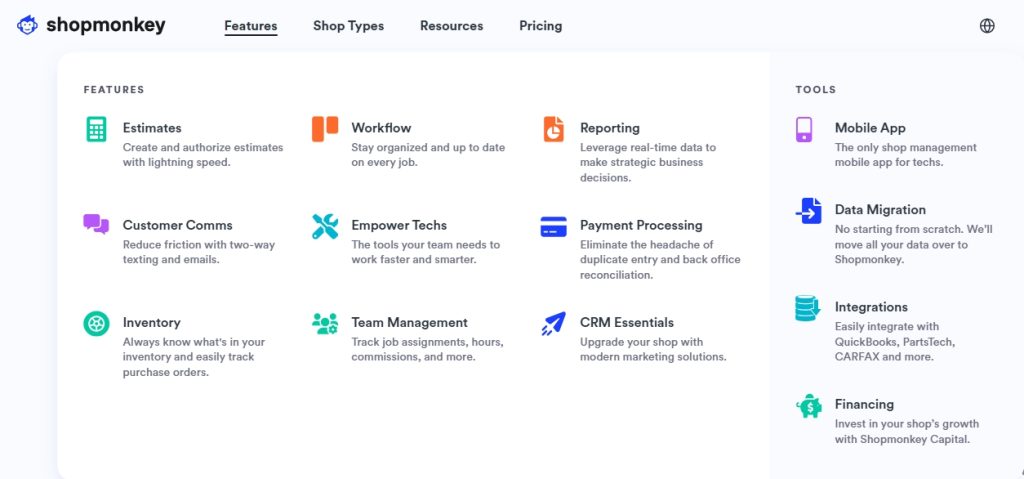
Why it stands out: Shopmonkey is strongest when estimates, digital inspections, approvals, payments, and customer messages need to feel like one clean front-counter workflow. It is particularly relevant for shops trying to move away from phone tag and paper approvals.
Watch out: The useful version may not be the entry plan. Price the tier that includes the communication, reporting, inventory, and workflow features the shop actually expects.
2. AutoLeap
Overview: AutoLeap is a cloud-based shop management platform with a focus on CRM, designed to streamline operations and enhance customer satisfaction. Its robust integrations and support make it a top choice for growing shops.
Key Features
- CRM Capabilities: Smart Review Management for collecting/responding to Google reviews, automated SMS/email reminders, and customer history tracking for personalized follow-ups.
- Other Tools: One-Click Estimates that convert to invoices, digital vehicle inspections, productivity-tracking workboard, and integrated parts ordering.
- Integrations: Strong with QuickBooks Online, Google Reviews, and parts suppliers, but third-party integrations can be challenging.
- Unique Feature: Fleet management tools for shops servicing commercial vehicles.

Why it stands out: AutoLeap puts appointments, estimates, repair workflow, communication, review management, and marketing support in the same environment. Its published tiers make it easier to estimate the jump from core operations to more advanced growth features.
Watch out: Ask the vendor to show which retention and reporting functions exist at each tier. Co3. Mitchell1 (Manager SE)
3. Orderry
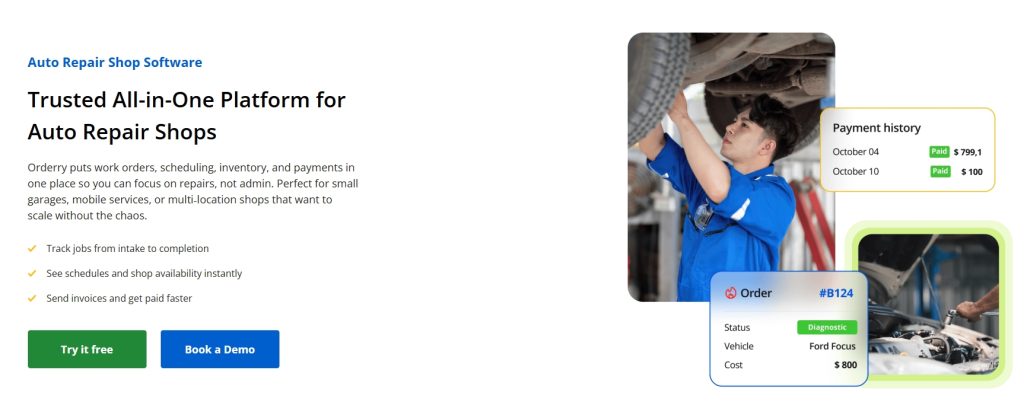
Overview: Orderry is a cloud-based service management solution offering flexible CRM and inventory tools, designed for repair businesses with customizable workflows. It’s a cost-effective alternative to Shopmonkey. Unlike other CRMs designed exclusively for auto repair shops with many complex features, Orderry works well for any repair business, and is a bit simpler to use, which is perfect for 1-2 bay shops looking to scale without a complicated software.
Key Features
- CRM Capabilities: Customer relationship management with automated communications, client history tracking, and review collection tools.
- Other Tools: Work order management, inventory tracking with automated reordering, and detailed reporting for shop performance.
- Integrations: Supports QuickBooks, parts suppliers, and customizable APIs for unique needs.
- Unique Feature: Highly customizable workflows, ideal for shops with specific operational requirements.
4. Tekmetric
Overview: Tekmetric is a cloud-based shop management software built by a former shop owner. It’s commonly used by shops in the industry and it integrates CRM, scheduling, invoicing, and other tools to streamline operations and boost revenue.
- CRM Capabilities: Customer management with detailed service history, automated reminders, and digital estimate/invoice sharing via SMS/email.
- Marketing Features: Online booking, two-way texting, automated reminders, online review management and website creation.
- Other Tools: Repair order management, digital inspections, real-time reporting, and technician time tracking.
- Integrations: Connects with QuickBooks, parts suppliers, and Service Intelligence for maintenance reminders.
- Unique Feature: Detailed analytics for shop performance and customer retention, with mobile-friendly access.
5. HubSpot CRM
Overview: HubSpot CRM is a comprehensive, free-to-start customer relationship management platform with powerful marketing automation tools. While not auto repair-specific, its flexibility and scalability make it suitable for shops looking to professionalize their customer communication and marketing efforts.
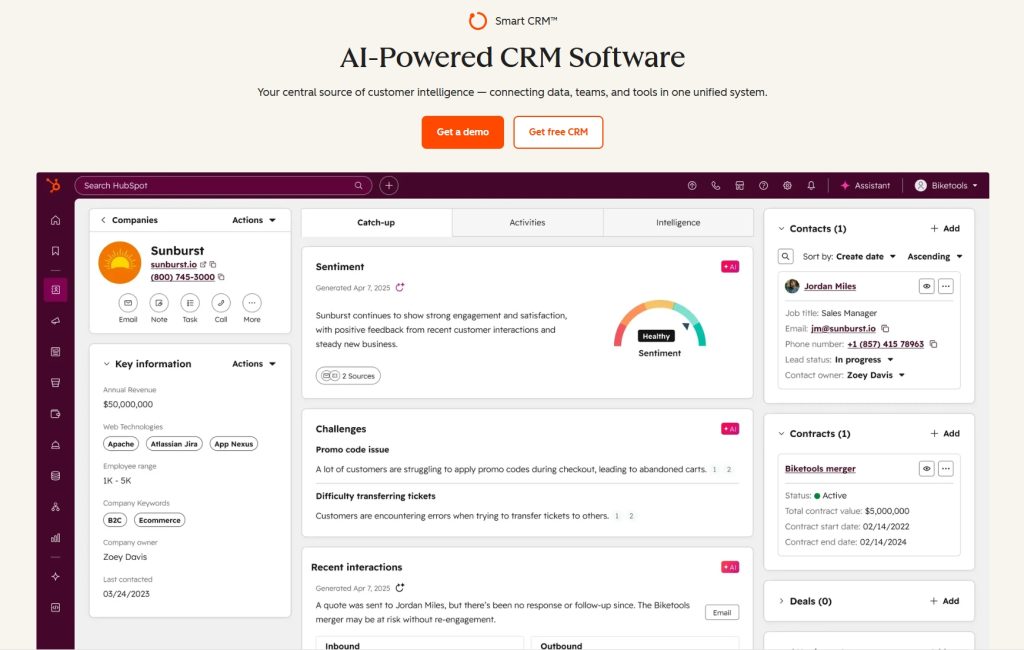
Key Features:
- Contact management with detailed customer profiles and interaction history
- Email marketing and automation with customizable templates
- Deal pipeline management to track estimates and conversion rates
- Live chat and chatbot functionality for website visitors
- Task management and reminders for follow-ups
- Reporting dashboards showing marketing ROI and sales performance
- Integration with Gmail, Outlook, and 1,000+ business tools
- Mobile app for managing customer relationships on the go
6. Zoho CRM
Overview: Zoho CRM is a budget-friendly, feature-rich platform offering extensive customization options. Its modular approach allows auto repair shops to build a CRM system tailored to their specific needs without paying for unnecessary features.
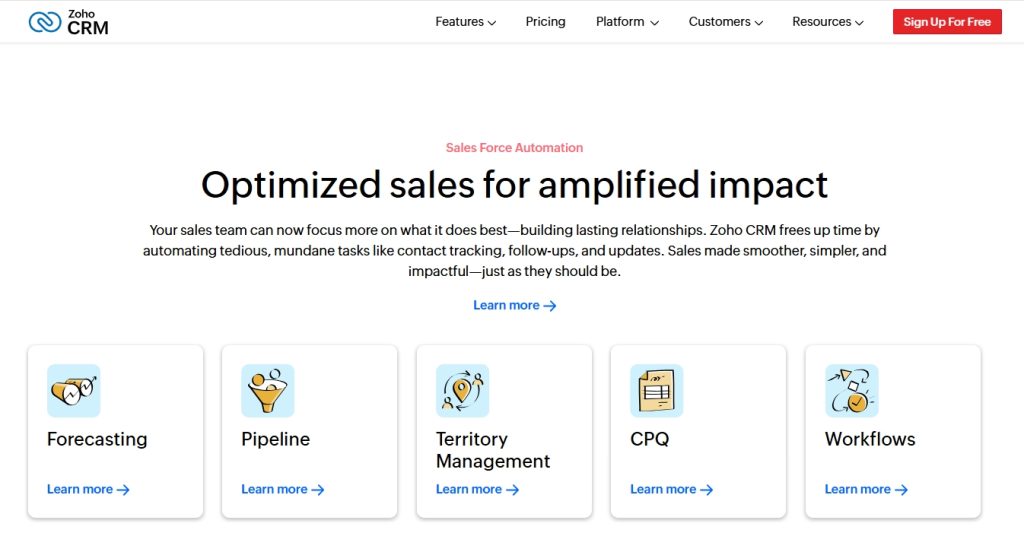
Key Features:
- Contact and deal management with custom fields
- Sales automation and workflow rules
- Email campaigns with A/B testing
- Multi-channel communication (email, phone, social media, live chat)
- AI assistant (Zia) for predictions and suggestions
- Custom dashboards and reports
- Mobile apps for iOS and Android
- Integration with Zoho suite (Books, Inventory, Projects) and third-party apps
- Canvas design studio for custom layouts
7. Salesforce Essentials / Starter
Overview: Salesforce Essentials is the small business version of the world’s leading CRM platform. It brings enterprise-level capabilities to smaller auto repair operations, offering powerful automation and customer insights.
Key Features:
- Complete customer view with interaction history
- Opportunity and pipeline management
- Email integration and tracking
- Task and calendar management
- Mobile app with offline access
- Customizable reports and dashboards
- AppExchange marketplace with thousands of integrations
- Einstein AI for lead scoring and predictions (higher tiers)
- Case management for service requests
8. Pipedrive
Overview: Pipedrive is a sales-focused CRM designed around visual pipeline management. Its simplicity and intuitive interface make it ideal for shops that want to track customer journeys from initial inquiry to repeat service without complexity.
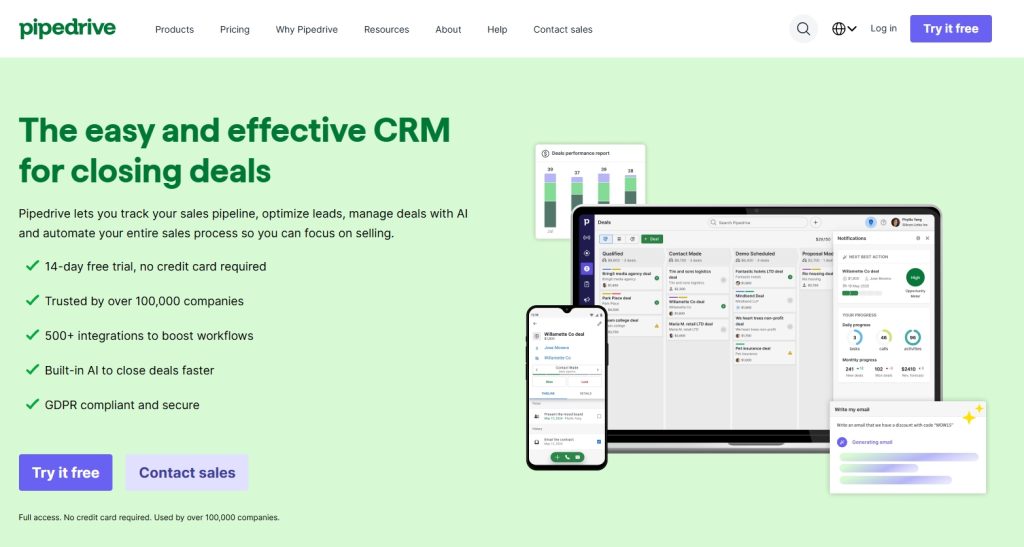
Key Features:
- Visual sales pipeline with drag-and-drop interface
- Activity and goal tracking
- Email integration with templates and tracking
- Automated workflow and reminders
- Web forms for capturing leads from website
- Customizable fields and pipelines
- Revenue forecasting
- Mobile apps for iOS and Android
- Integration with 300+ tools via Marketplace
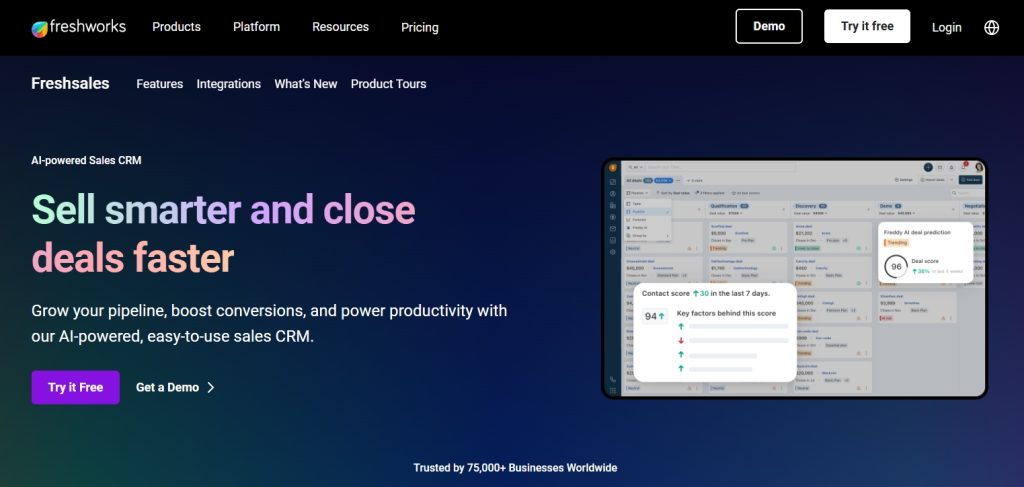
9. Freshsales (formerly Freshworks CRM)
Overview: Freshsales is a modern, AI-powered CRM with strong communication features and built-in phone system. Its focus on intelligent automation and multi-channel engagement makes it suitable for shops looking to improve customer communication efficiency.
Key Features:
- AI-powered lead scoring (Freddy AI)
- Built-in phone with click-to-call and call recording
- Email tracking and sequences
- Visual sales pipeline
- Multi-channel communication (email, phone, chat, SMS)
- Workflow automation
- Custom reports and dashboards
- Mobile apps with offline mode
- Integration with Freshdesk for customer support
Pricing:
- Free: Unlimited users, basic features
- Growth: $15/user/month (AI contact scoring, workflows)
- Pro: $39/user/month (sales sequences, multiple pipelines)
- Enterprise: $69/user/month (custom modules, audit logs, forecasting)
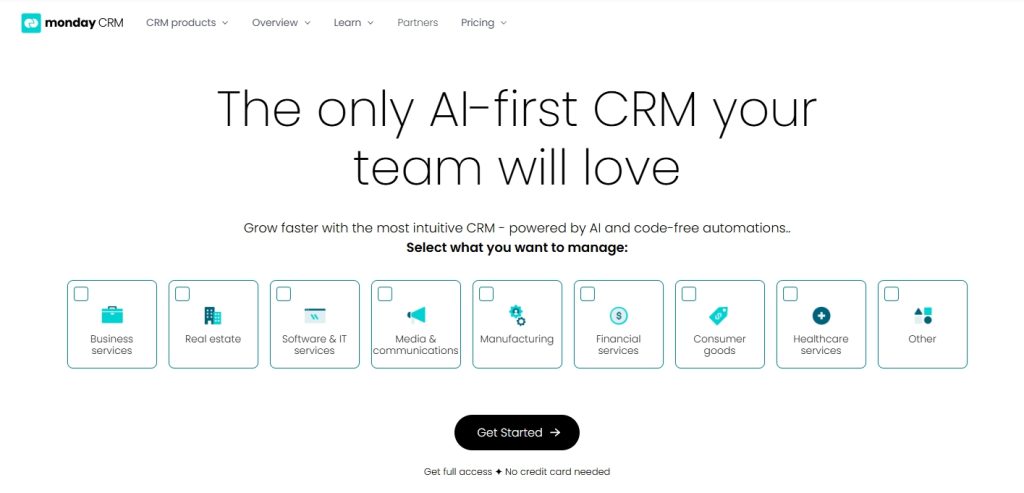
10. Monday.com (Sales CRM)
Overview: Monday.com‘s Sales CRM is a highly visual, collaborative platform built on the company’s popular work management system. Its flexibility and visual approach make it ideal for shops that want to customize their customer management process.
Key Features:
- Visual boards with customizable columns and views
- Contact and deal management
- Email integration with templates
- Automation and workflow rules
- Custom dashboards and reporting
- Mobile apps for iOS and Android
- Integration with 200+ apps (Gmail, Outlook, Zapier)
- Collaboration features for team communication
- Activity timeline for customer interactions
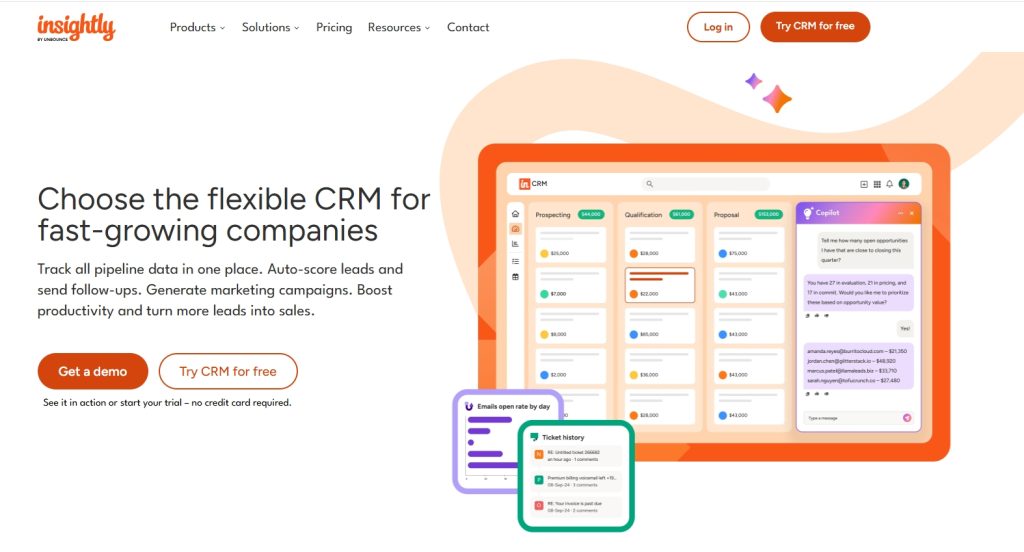
11. Insightly
Overview:
Insightly is a CRM platform designed for small to medium-sized businesses with strong project management capabilities. Its ability to link customer relationships to specific projects makes it suitable for shops tracking complex repairs or fleet accounts.
Key Features:
- Contact and organization management
- Project management linked to customer records
- Pipeline and opportunity tracking
- Email tracking and templates
- Workflow automation
- Custom fields and page layouts
- Mobile apps for iOS and Android
- Integration with G Suite, Office 365, and 500+ apps
- Task management and reminders
How to Choose Without Getting Buried in Demos
| Decision area | Ask in the demo | Pass condition |
|---|---|---|
| Lead intake | Can calls, forms, chats, and missed calls become trackable appointments or opportunities? | Source, customer, vehicle, requested service, owner, and next step are visible. |
| Vehicle history | Does the customer record connect to each vehicle, repair order, inspection, and declined item? | An advisor does not need a second system to understand context. |
| Follow-up | Can reminders use service interval, mileage, declined work, inspection finding, or date? | Messages are triggered by a real service event. |
| Integrations | Does it connect to phones, forms, accounting, payments, parts, DVI, and marketing tools? | Daily work does not require duplicate entry. |
| Reporting | Can it show booked jobs, repeat visits, ARO, and source where available? | Reports answer management questions rather than count activity. |
| Permissions | Can advisors, managers, and owners see the right data? | The team can work without shared logins or messy workarounds. |
| Portability | What exports are available, and what happens after cancellation? | Customers, vehicles, appointments, notes, and communication history can be recovered in usable form. |
Demo Script: Make Every Vendor Show the Same Workflow
- Create a new customer with two vehicles, then book an appointment from a phone call.
- Add an inspection finding, turn it into an estimate, and send it for approval.
- Decline one recommendation, then schedule a follow-up tied to that exact item.
- Show how a missed call, website form, or chat becomes a task someone owns.
- Show the report connecting source, booked appointment, repair order, and repeat visit.
- Export customer, vehicle, appointment, note, and communication data.
Do not let the demo remain on the dashboard. If a vendor cannot run this sequence cleanly, the shop will probably create workarounds after launch.
Calculate Total Cost, Not Just the Base Plan
| Cost area | Question to ask | Why it changes the decision |
|---|---|---|
| Subscription | Is the price monthly, annual, promotional, per location, or per user? | The advertised number may not represent the intended configuration. |
| Messaging | Are SMS, MMS, phone numbers, email volume, and carrier fees included? | High-volume reminders and campaigns can create variable cost. |
| Onboarding | Are setup, training, data cleaning, and import included? | A cheap subscription can still carry a large first-month cost. |
| Integrations | Which accounting, parts, phone, payment, DVI, and marketing connections cost extra? | Missing connections create duplicate work or another subscription. |
| Payments | Does the platform add a fee above the processor’s charge? | Small percentage differences compound across monthly repair revenue. |
| Growth | What happens when the shop adds users, locations, contacts, or message volume? | A plan that works today can become expensive after expansion. |
| Exit | What are the contract, renewal, notice, cancellation, and export terms? | Switching cost matters when the product does not fit. |
The Follow-Up Workflows That Matter Most
| Workflow | Trigger | Useful message or action |
|---|---|---|
| Declined work | Customer declines a recommended repair | Reference the specific concern, why it matters, and how to schedule. |
| Service due | Time or mileage interval approaches | Name the vehicle and service instead of sending a generic reminder. |
| No-show | Appointment time passes without arrival | Offer a direct rescheduling path and let the customer reply. |
| Lapsed customer | No completed visit within the shop’s normal cycle | Use the customer’s actual service history or vehicle needs. |
| Review request | Completed visit | Ask every eligible customer for honest feedback using the same process. |
| Fleet follow-up | Open estimate, scheduled PM, or account renewal | Assign an owner and next action to the account. |
Compliance Questions Belong in the CRM Demo
Commercial email should follow the FTC’s CAN-SPAM guidance. Automated calls and texts require a consent process that has been reviewed against the FCC’s TCPA guidance. For application-to-person texts sent over a US 10-digit long-code number, confirm who handles A2P 10DLC registration, opt-in records, HELP and STOP handling, suppression, and carrier fees.
Review automation should request honest feedback consistently rather than route only happy customers to Google. Google’s guidance recommends valuing all reviews, and violations of its fake-engagement policy can lead to Business Profile restrictions. A CRM should help the shop respond to problems without manipulating who is allowed to leave a public review.
This is an operational checklist, not legal advice. The important buying question is whether the vendor provides the consent records, registration support, suppression controls, and audit trail the shop needs.
Where CRM Connects to Marketing
A shop can generate inquiries all month and still lose money if the CRM cannot show which calls became appointments and repair orders. When phone calls are the main lead source, connect the source and call outcome through call tracking so the shop can distinguish booked work from missed, unqualified, and repeat-customer calls.
CRM improves follow-up, but it cannot solve an empty pipeline. A shop short on qualified first-time inquiries needs to fix auto repair lead generation before expecting retention automation to fill the schedule.
Google Ads call reporting can provide call timing and duration, while Google Analytics events can measure forms and appointment requests. The CRM should add the business outcome: booked, completed, lost, repeat visit, and revenue where the integration supports it.
Simple CRM ROI Math
| Monthly result | Example | Influenced revenue |
|---|---|---|
| Recovered declined work | 6 jobs x $450 | $2,700 |
| Reduced no-shows | 3 appointments x $310 | $930 |
| Lapsed customers returned | 4 visits x $375 | $1,500 |
| Software and messaging cost | Monthly total | -$650 |
| Revenue above software cost | $5,130 – $650 | $4,480 |
This fictional example shows $5,130 in influenced repair revenue against $650 in software and messaging cost. The shop should still account for gross margin, advisor time, discounts, and available capacity. When repeat visits are the main question, the loyalty program calculator can help compare retention value before adding a points or rewards program.
A 30-Day Implementation Plan
| Period | Focus | Completion test |
|---|---|---|
| Days 1-5 | Data, ownership, consent, and workflow map | Customer and vehicle fields, opt-in records, owners, and success metrics are defined. |
| Days 6-10 | Import and integrations | A sample import is checked for duplicates, vehicles, notes, and communication preferences. |
| Days 11-15 | One live workflow | Appointments and reminders run correctly for a controlled group. |
| Days 16-22 | Declined work and review requests | Messages use real service context, respect consent, and assign replies. |
| Days 23-30 | Reporting and adoption | The owner can see usage, bookings, outcomes, and unresolved follow-up. |
Do not launch every automation at once. A narrow workflow that advisors trust is more valuable than a large library of campaigns nobody monitors.
When a Free or Generic CRM Is Enough
A free CRM can work for a solo operator or a very small team that needs contacts, reminders, fleet-account follow-up, form ownership, and a simple estimate pipeline. HubSpot and Zoho are reasonable starting points for that limited job.
It stops being enough when the shop needs vehicle-specific service history, repair orders, inspections, estimate approvals, mileage or time-based intervals, texting consent, and advisor workflows in one trusted record. The danger is not that generic CRMs are bad. The danger is creating a second database that nobody updates during a busy day.
Migration Questions Before You Sign
- Can the shop export customers, vehicles, service history, appointments, notes, declined work, and communication history?
- Does the import preserve one customer with multiple vehicles without creating duplicates?
- Who owns phone numbers, messaging registrations, templates, domains, and tracking data?
- How long does data remain available after cancellation?
- What notice period, renewal term, or cancellation fee applies?
- Can the shop test an export before committing to a long contract?
FAQ
What is the best auto repair shop CRM software in 2026?
Tekmetric is the strongest overall starting point for a busy independent general repair shop, with AutoLeap close behind for shops prioritizing growth and retention features. Shopmonkey is a strong customer-communication alternative, Fullbay fits heavy-duty operations, Shop-Ware fits structured multi-location shops, and AutoVitals is a strong retention layer for shops keeping another management system.
Is a shop management system the same as a CRM?
Not exactly. Shop management software owns estimates, repair orders, parts, inspections, scheduling, invoicing, and technician workflow. CRM owns the customer relationship: lead intake, communication, reminders, declined-work follow-up, reviews, win-back, and repeat-visit reporting. Many platforms overlap, but shops should identify which system owns each record and action.
What is the best CRM for a small auto repair shop?
A small shop replacing paper or older software should demo the entry plans from Tekmetric, AutoLeap, and Shopmonkey. A shop keeping its current management system but needing customer follow-up should compare Autoflow, Pitlane, OktoRocket, and other retention layers against the cost of one recovered repair order.
Can an auto repair shop use a free CRM?
Yes, for contacts, fleet accounts, forms, reminders, and a simple pipeline. Free generic CRM becomes fragile when the shop tries to recreate vehicle history, repair orders, inspections, service intervals, approvals, and texting compliance through custom fields and manual updates.
How much does auto repair CRM cost?
Published entry prices in this comparison range from free generic tools to roughly $179-$215 per month for several cloud shop-management entry tiers. Retention and communication platforms range from $97 per month to $489 or more, while larger all-in-one and multi-location packages can exceed $500-$1,000 per month before users, messaging, onboarding, and add-ons.
Which CRM features matter most for retention?
Vehicle-aware service history, declined-work follow-up, service reminders, lapsed-customer campaigns, consistent review requests, communication preferences, reply ownership, and reporting on repeat visits matter more than a large library of generic email templates.
Conclusion
Start with the problem, not the software logo. If the repair-order workflow is broken, compare all-in-one shop platforms. If operations are stable but customers are not returning, compare retention layers that integrate with the existing system. If the need is limited to fleet accounts or lead ownership, a simple generic CRM may be enough.
Shortlist two or three products, run the same demo script, calculate the complete monthly cost, test the export, and let the advisors use the finalists. The best auto repair CRM is the one the shop can trust during a busy day and still measure after the customer leaves.