

Top 17 CRM Systems for Automotive Repair Businesses: Comparison of Features, Pricing, and Benefits

You already know that Customer Relationship Management (CRM) systems tailored for automotive repair shops can streamline your shop operations, enhance customer communication, and boost retention, ultimately driving revenue. Great! But, with numerous options available, choosing the right CRM depends on your shop’s size, specialization, and budget.
This article compares five top CRM systems for auto repair shops—Shopmonkey, AutoLeap, Mitchell1, Orderry, and Tekmetric) and 12 other CRMs suitable for auto repair shops use (You’ll want to read them all since they are unique, like the CRM that lives entirely in Gmail!)
By the end of the article you will know all the essentials about their functionality, pricing, and advantages for different shop types (independent, multi-location, specialty, and tire shops). We’ve incorporated CRMs distinct from each other and a comprehensive guide to help you select the best CRM for your shop.
Contents:
- 1. Shopmonkey
- 2. AutoLeap
- 3. Mitchell1 (Manager SE)
- 4. Orderry
- 5. Tekmetric
- Comparison Table
- How to Choose the Right CRM
- Practical Tips to Implement a CRM
- Other CRM software options for Auto Repair Shops
- 6. HubSpot CRM
- 7. Zoho CRM
- 8. Salesforce Essentials / Starter
- 9. Pipedrive
- 10. Freshsales (formerly Freshworks CRM)
- 11. Monday.com (Sales CRM)
- 12. Insightly
- 13. Nimble
- 14. Copper (formerly ProsperWorks)
- 15. Keap (formerly Infusionsoft)
- 16. Streak
- 17. Capsule CRM
- Comparison Table: General CRMs for Auto Repair Shops
- Choosing the Right General CRM for Your Auto Shop
- Conclusion
1. Shopmonkey
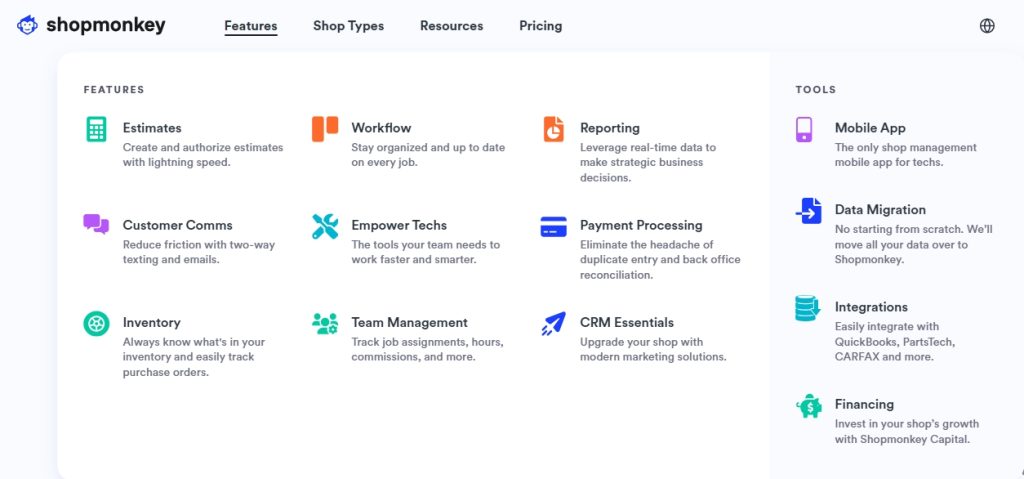
Overview: Shopmonkey is a cloud-based, all-in-one shop management software designed for auto repair businesses, offering robust CRM features alongside scheduling, invoicing, and inventory tools. Its user-friendly interface makes it ideal for shops new to digital management.
Key Features
- CRM Capabilities: Automated text/email reminders for appointments and follow-ups, customer history tracking, and personalized communication via integrated messaging.
- Other Tools: Drag-and-drop calendar for scheduling, digital vehicle inspections (DVIs), estimate-to-invoice conversion, and real-time dashboards for performance tracking.
- Integrations: Seamless integration with QuickBooks, parts suppliers (e.g., PartsTech), and payment systems.
- Unique Feature: VIN/license plate scanning for quick vehicle data import, simplifying customer onboarding.
Pricing
- Plans:
- Note: Advanced CRM features (e.g., e-signatures, inventory management) are only available in higher tiers.
Advantages for Shop Types
- Independent Shops: User-friendly interface and affordable Basic plan suit small shops transitioning from paper-based systems.
- Multi-Location Shops: Multi-Shop plan offers centralized management for multiple sites.
- Specialty Shops: VIN scanning and parts ordering streamline workflows for niche repairs.
- Tire Shops: Limited tire-specific features but supports general repair workflows.
Pros
- Intuitive design with minimal learning curve.
- Strong customer communication tools (e.g., automated reminders).
- Real-time analytics for tracking profitability and technician efficiency.
Cons
- Advanced features (e.g., inventory management) require premium plans.
- Limited customization compared to competitors like Orderry.
- Pricing can be high for small shops with basic needs.
Best For: Small to mid-sized shops seeking an easy-to-use, all-in-one solution with strong CRM and scheduling features.
2. AutoLeap
Overview: AutoLeap is a cloud-based shop management platform with a focus on CRM, designed to streamline operations and enhance customer satisfaction. Its robust integrations and support make it a top choice for growing shops.
Key Features
- CRM Capabilities: Smart Review Management for collecting/responding to Google reviews, automated SMS/email reminders, and customer history tracking for personalized follow-ups.
- Other Tools: One-Click Estimates that convert to invoices, digital vehicle inspections, productivity-tracking workboard, and integrated parts ordering.
- Integrations: Strong with QuickBooks Online, Google Reviews, and parts suppliers, but third-party integrations can be challenging.
- Unique Feature: Fleet management tools for shops servicing commercial vehicles.

Pricing
- Plans: Custom pricing, typically $200–$500/month based on shop size and features (free demo available).
- Note: Pricing is not publicly listed, requiring a demo for quotes.
Advantages for Shop Types
- Independent Shops: Intuitive interface and review management suit small shops focused on customer retention.
- Multi-Location Shops: Supports franchises with centralized reporting and task delegation.
- Specialty Shops: Digital inspections and estimate tools work well for complex repairs.
- Tire Shops: Quick tire lookup and ordering capabilities streamline tire-specific workflows.
Pros
- Seamless QuickBooks integration for accounting.
- Strong customer support and frequent updates.
- Fleet management features for shops serving commercial clients.
Cons
- Third-party integrations are less flexible than Shopmonkey or Mitchell1.
- Pricing opacity can frustrate budget-conscious shops.
- Some limitations with older vehicle data in vehicle management.
Best For: Growing shops and franchises prioritizing customer engagement and fleet management.
3. Mitchell1 (Manager SE)
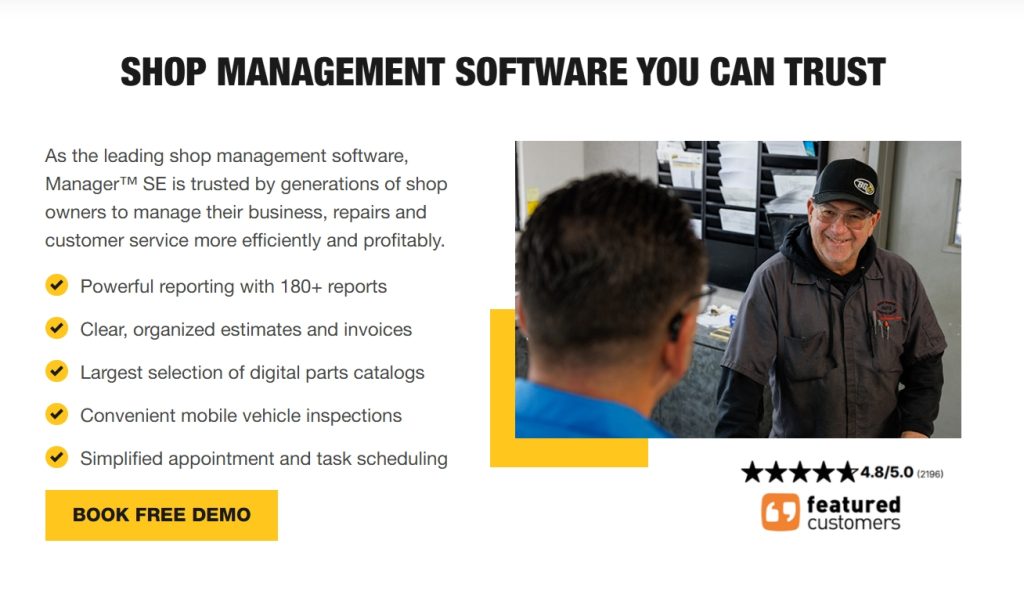
Overview: Mitchell1’s Manager SE is a comprehensive shop management system with robust CRM features, known for its extensive repair database and parts catalog. It’s ideal for shops needing detailed repair information alongside CRM.
Key Features
- CRM Capabilities: Customer database with service history, marketing tools for local listing updates, and automated follow-up emails. (Includes Business Management, Estimating, Service Writing, and more)
- Other Tools: Over 180 reports for performance tracking, scheduling, productivity tracking, and a Parts Catalog with real-time pricing for specialty vehicles.
- Integrations: Strong with ProDemand, SureTrack, QuickBooks, and parts databases.
- Unique Feature: Extensive repair database for diagnostics, ideal for complex or specialty repairs.
Pricing
- Plans: Starts at ~$129/month for basic features, with custom pricing for advanced modules (e.g., ProDemand integration).
- Note: Desktop-based with IP restrictions, limiting remote access unless upgraded.
Advantages for Shop Types
- Independent Shops: Comprehensive reports and repair database suit shops with diverse repair needs.
- Multi-Location Shops: Less ideal due to desktop-based limitations, but integrations support scaling.
- Specialty Shops: Parts Catalog and repair database excel for niche vehicles (e.g., heavy-duty trucks).
- Tire Shops: Limited tire-specific features but supports general inventory management.
Pros
- Extensive parts and repair database for accurate quotes.
- Robust reporting for performance insights.
- Trusted by thousands of shops for reliability.
Cons
- Steeper learning curve due to advanced features.
- Desktop-based system restricts off-site access.
- Higher costs for full feature set and integrations.
Best For: Specialty shops and established businesses needing detailed repair data and reporting.
4. Orderry
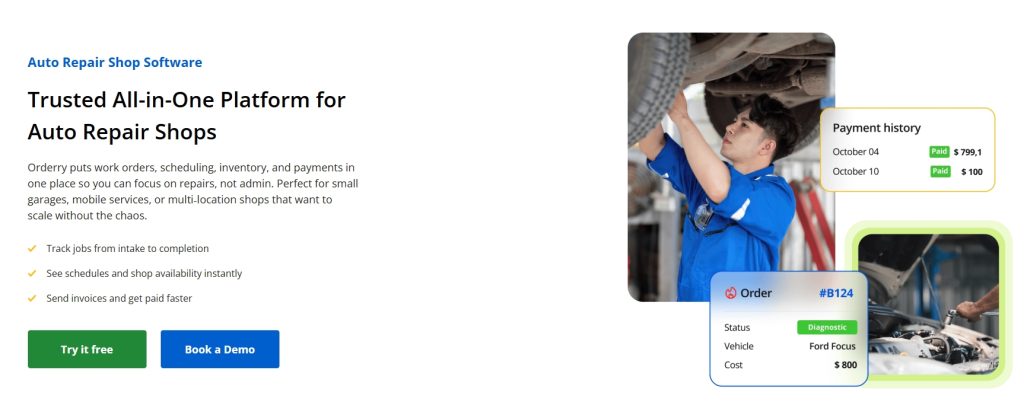
Overview: Orderry is a cloud-based service management solution offering flexible CRM and inventory tools, designed for repair businesses with customizable workflows. It’s a cost-effective alternative to Shopmonkey. Unlike other CRMs designed exclusively for auto repair shops with many complex features, Orderry works well for any repair business, and is a bit simpler to use, which is perfect for 1-2 bay shops looking to scale without a complicated software.
Key Features
- CRM Capabilities: Customer relationship management with automated communications, client history tracking, and review collection tools.
- Other Tools: Work order management, inventory tracking with automated reordering, and detailed reporting for shop performance.
- Integrations: Supports QuickBooks, parts suppliers, and customizable APIs for unique needs.
- Unique Feature: Highly customizable workflows, ideal for shops with specific operational requirements.
Pricing
- Plans: Tiered subscriptions starting at $39/month for basic features, up to $99/month for comprehensive packages (free 7-day trial).
- Note: More affordable than competitors, with flexible pricing for small shops.
Advantages for Shop Types
- Independent Shops: Affordable pricing and intuitive interface suit small budgets.
- Multi-Location Shops: Customizable workflows support complex operations across sites.
- Specialty Shops: Flexible features adapt to niche repair needs.
- Tire Shops: Strong inventory tracking for tire stock management.
Pros
- Cost-effective with competitive pricing.
- Highly customizable for unique shop needs.
- Excellent customer support, per user feedback.
Cons
- Less tailored to automotive-specific needs compared to Shopmonkey or AutoLeap.
- Fewer industry-specific integrations than competitors.
- Learning curve for customization setup.
Best For: Small to mid-sized shops needing affordable, customizable solutions.
5. Tekmetric
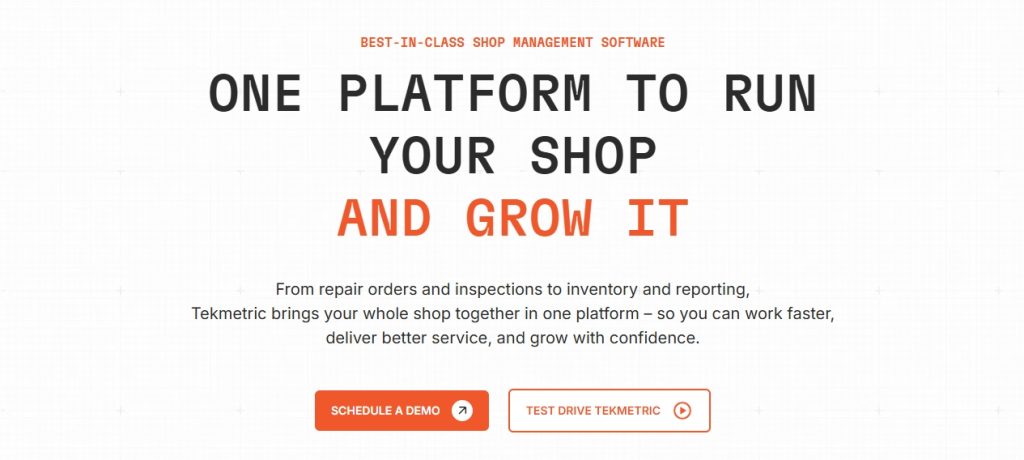
Overview: Tekmetric is a cloud-based shop management software built by a former shop owner. It’s commonly used by shops in the industry and it integrates CRM, scheduling, invoicing, and other tools to streamline operations and boost revenue.
Key Features
- CRM Capabilities: Customer management with detailed service history, automated reminders, and digital estimate/invoice sharing via SMS/email.
- Marketing Features: Online booking, two-way texting, automated reminders, online review management and website creation.
- Other Tools: Repair order management, digital inspections, real-time reporting, and technician time tracking.
- Integrations: Connects with QuickBooks, parts suppliers, and Service Intelligence for maintenance reminders.
- Unique Feature: Detailed analytics for shop performance and customer retention, with mobile-friendly access.
Pricing
- Plans: Starts at $99/month for basic tier, up to $450/month for advanced features (no contract).
- Note: Recent price increases and limited Canadian tax support have drawn criticism.
Advantages for Shop Types
- Independent Shops: Affordable starter tier and user-friendly design suit small operations.
- Multi-Location Shops: Cloud-based access and analytics support scaling.
- Specialty Shops: Digital inspections and estimates work for complex repairs.
- Tire Shops: General inventory tools, but less tire-specific than AutoLeap.
Pros
- Clean, mobile-friendly interface for remote access.
- Strong analytics for data-driven decisions.
- No long-term contracts for flexibility.
- Cloud-based and can access the platform from anywhere.
- An all-in-one platform with shop management, payments, tires, and multi-shop functionality in one system.
- 70+ integrations to customize and streamline your workflows.
- Highly responsive, U.S.-based support team.
Cons
- Limited Canadian tax support (e.g., discounts).
- Invoicing design and single-contact-per-customer limitations.
Best For: Scaling shops needing affordable, cloud-based CRM with analytics.
Comparison Table
| CRM System | Key CRM Features | Pricing (Monthly) | Best For | Shop Type Fit |
|---|---|---|---|---|
| Shopmonkey | Automated reminders, customer history, messaging | $199–$499 | Small to mid-sized shops | Independent, Multi-Shop |
| AutoLeap | Smart Review Management, SMS/email reminders | $200–$500 (custom) | Growing shops, franchises | Independent, Multi-Shop, Tire |
| Mitchell1 | Customer database, marketing tools | ~$129+ | Specialty shops | Specialty, Independent |
| Orderry | Client tracking, automated communications | $39–$99 | Budget-conscious shops | Independent, Multi-Shop, Tire |
| Tekmetric | Service history, digital estimates | $99–$450 | Scaling shops | Independent, Multi-Shop |
How to Choose the Right CRM
- Independent Shops: Prioritize affordability and ease of use (Orderry, Tekmetric’s basic plan, or Shopmonkey’s Basic Monkey).
- Multi-Location Shops: Look for centralized management and reporting (AutoLeap, Shopmonkey’s Multi-Shop, or Tekmetric).
- Specialty Shops: Choose systems with robust repair databases or customization (Mitchell1, Orderry).
- Tire Shops: Opt for tire-specific features like quick lookup (AutoLeap) or strong inventory tools (Orderry).
- Budget Considerations: Start with Orderry or Tekmetric’s lower tiers for cost savings, or test AutoLeap/Shopmonkey with free demos.
- Integration Needs: Ensure compatibility with QuickBooks, parts suppliers, or existing tools (all five integrate, but AutoLeap and Mitchell1 excel).
Practical Tips to Implement a CRM
- Trial Before Buying: Test Shopmonkey, Orderry, or AutoLeap with free trials/demos to assess fit.
- Train Staff: Use vendor-provided onboarding (e.g., AutoLeap’s support) to reduce learning curves.
- Focus on CRM Features: Prioritize review collection (AutoLeap), automated reminders (Shopmonkey), or analytics (Tekmetric) to boost customer retention.
- Track ROI: Monitor booking increases and customer retention rates post-CRM adoption using built-in analytics.
- Integrate Reviews: Use AutoLeap or Shopmonkey to collect Google reviews, enhancing trust and conversions.
Other CRM software options for Auto Repair Shops
The 5 CRM options we mentioned first are made for, and focused on auto repair shops. But some may be expensive or have too many features! So, below you’ll find a list of the best CRM software options that can be used in an auto repair shop, even though they are not advertised as such.
6. HubSpot CRM
Overview:
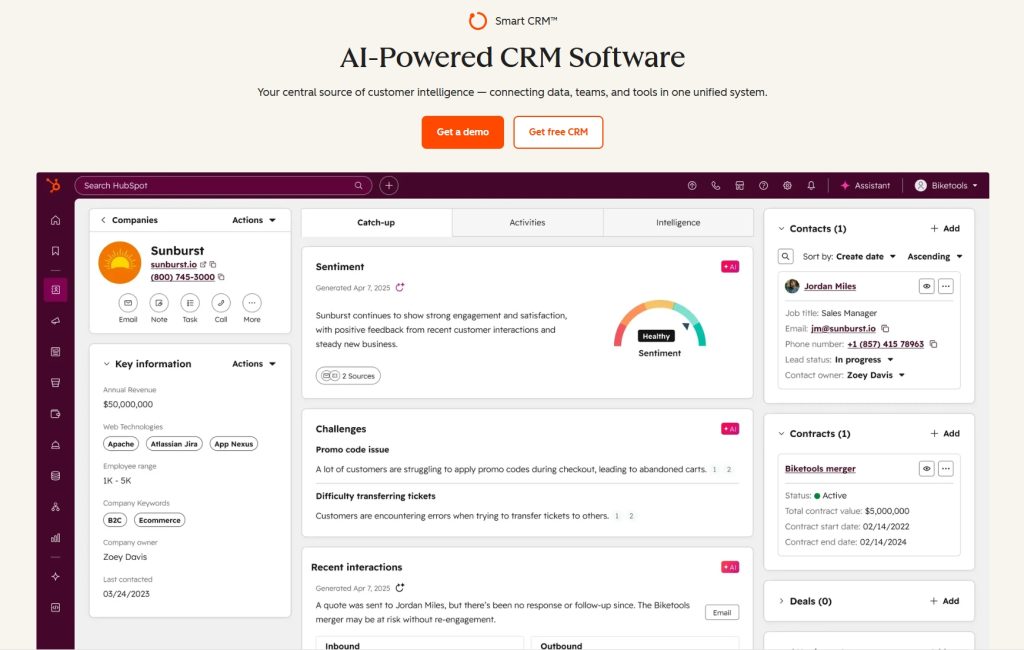
HubSpot CRM is a comprehensive, free-to-start customer relationship management platform with powerful marketing automation tools. While not auto repair-specific, its flexibility and scalability make it suitable for shops looking to professionalize their customer communication and marketing efforts.
Key Features:
- Contact management with detailed customer profiles and interaction history
- Email marketing and automation with customizable templates
- Deal pipeline management to track estimates and conversion rates
- Live chat and chatbot functionality for website visitors
- Task management and reminders for follow-ups
- Reporting dashboards showing marketing ROI and sales performance
- Integration with Gmail, Outlook, and 1,000+ business tools
- Mobile app for managing customer relationships on the go
Pricing:
- Free plan: Unlimited users, basic CRM features
- Starter: $15/month per seat (includes email marketing, forms, and automation)
- Professional: $800/month for 3 seats (advanced automation, custom reporting)
- Enterprise: $3,600/month for 5 seats (predictive lead scoring, advanced permissions)
Pros:
- Robust free version with no time limit or feature expiration
- Excellent email marketing capabilities for sending service reminders and promotions
- Easy to use with minimal learning curve
- Scales from single-shop to multi-location operations
- Strong integration ecosystem
- Comprehensive training resources and documentation
Cons:
- No auto repair-specific features (no parts inventory, no repair order management)
- Professional and Enterprise tiers can be expensive for small shops
- Marketing automation features require paid plans
- May require additional tools for shop-specific workflows
- Limited customization without technical knowledge
Best For: Shops that need strong customer communication and marketing automation but use separate software for repair orders and invoicing.
7. Zoho CRM
Overview:
Zoho CRM is a budget-friendly, feature-rich platform offering extensive customization options. Its modular approach allows auto repair shops to build a CRM system tailored to their specific needs without paying for unnecessary features.
Key Features:
- Contact and deal management with custom fields
- Sales automation and workflow rules
- Email campaigns with A/B testing
- Multi-channel communication (email, phone, social media, live chat)
- AI assistant (Zia) for predictions and suggestions
- Custom dashboards and reports
- Mobile apps for iOS and Android
- Integration with Zoho suite (Books, Inventory, Projects) and third-party apps
- Canvas design studio for custom layouts
Pricing:
- Free: Up to 3 users, basic CRM features
- Standard: $14/user/month (workflow automation, custom reports)
- Professional: $23/user/month (inventory management, custom modules)
- Enterprise: $40/user/month (advanced customization, multi-user portals)
- Ultimate: $52/user/month (advanced BI, custom functions)
Pros:
- Highly affordable with comprehensive features at every tier
- Extensive customization capabilities
- AI-powered insights and predictions
- Strong mobile app functionality
- Can integrate with Zoho Books for invoicing
- Multi-channel customer communication
Cons:
- Steep learning curve for advanced features
- Interface can feel cluttered with many options
- No built-in repair order or parts management
- Some features require Zoho ecosystem add-ons
- Customer support can be slow on lower-tier plans
Best For: Shops comfortable with technology who want a highly customizable, affordable CRM that can grow with their business.
8. Salesforce Essentials / Starter
Overview:
Salesforce Essentials is the small business version of the world’s leading CRM platform. It brings enterprise-level capabilities to smaller auto repair operations, offering powerful automation and customer insights.
Key Features:
- Complete customer view with interaction history
- Opportunity and pipeline management
- Email integration and tracking
- Task and calendar management
- Mobile app with offline access
- Customizable reports and dashboards
- AppExchange marketplace with thousands of integrations
- Einstein AI for lead scoring and predictions (higher tiers)
- Case management for service requests
Pricing:
- Essentials: $25/user/month (up to 10 users)
- Professional: $75/user/month
- Enterprise: $150/user/month
- Unlimited: $300/user/month
Pros:
- Industry-leading CRM with proven track record
- Excellent mobile app
- Powerful reporting and analytics
- Massive ecosystem of integrations and add-ons
- Scales from small shop to enterprise
- Strong security and reliability
Cons:
- Expensive compared to alternatives
- Essentials plan limited to 10 users
- Steep learning curve
- May require consultant/developer for advanced customization
- No auto repair-specific features
- Setup and configuration can be time-consuming
Best For: Growing multi-location shops or those planning significant expansion who need enterprise-grade CRM capabilities and can invest in proper implementation.
9. Pipedrive
Overview:
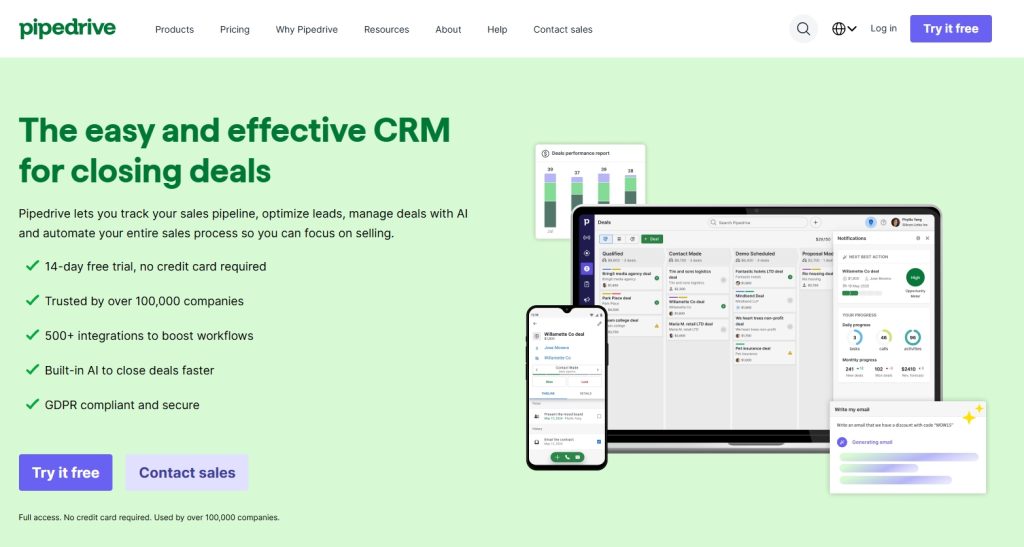
Pipedrive is a sales-focused CRM designed around visual pipeline management. Its simplicity and intuitive interface make it ideal for shops that want to track customer journeys from initial inquiry to repeat service without complexity.
Key Features:
- Visual sales pipeline with drag-and-drop interface
- Activity and goal tracking
- Email integration with templates and tracking
- Automated workflow and reminders
- Web forms for capturing leads from website
- Customizable fields and pipelines
- Revenue forecasting
- Mobile apps for iOS and Android
- Integration with 300+ tools via Marketplace
Pricing:
- Essential: $14/user/month (pipeline management, lead tracking)
- Advanced: $29/user/month (email sync, automations, templates)
- Professional: $59/user/month (team management, revenue forecasts)
- Power: $69/user/month (project planning, phone support)
- Enterprise: $99/user/month (unlimited customization, dedicated support)
Pros:
- Extremely user-friendly and intuitive
- Visual pipeline makes tracking easy
- Affordable entry-level pricing
- Quick setup and implementation
- Good email integration
- Strong mobile experience
Cons:
- Limited marketing automation features
- No built-in invoicing or payment processing
- Reporting capabilities less robust than competitors
- No auto repair-specific features
- Advanced features require higher-tier plans
- Limited customization compared to Salesforce or Zoho
Best For: Shops that want a simple, visual way to track customer relationships and convert estimates into booked services without overwhelming complexity.
10. Freshsales (formerly Freshworks CRM)
Overview:
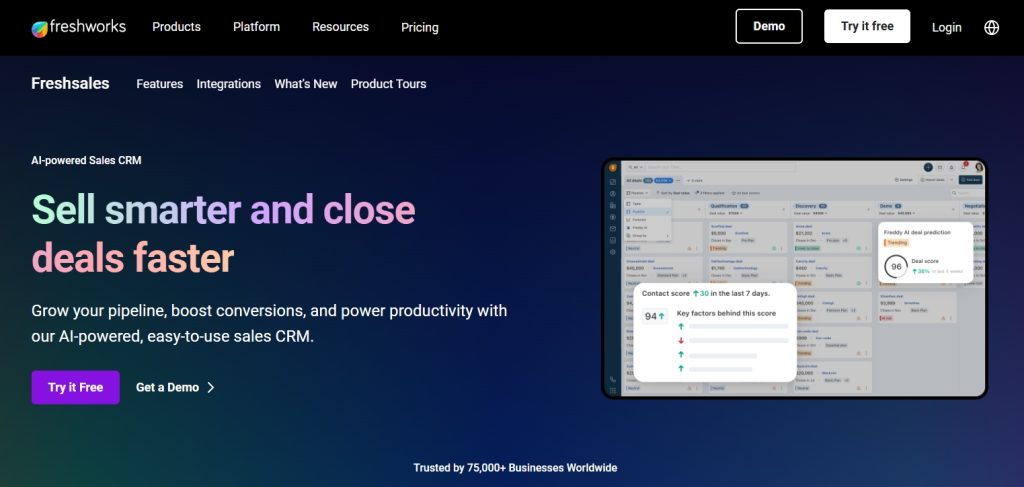
Freshsales is a modern, AI-powered CRM with strong communication features and built-in phone system. Its focus on intelligent automation and multi-channel engagement makes it suitable for shops looking to improve customer communication efficiency.
Key Features:
- AI-powered lead scoring (Freddy AI)
- Built-in phone with click-to-call and call recording
- Email tracking and sequences
- Visual sales pipeline
- Multi-channel communication (email, phone, chat, SMS)
- Workflow automation
- Custom reports and dashboards
- Mobile apps with offline mode
- Integration with Freshdesk for customer support
Pricing:
- Free: Unlimited users, basic features
- Growth: $15/user/month (AI contact scoring, workflows)
- Pro: $39/user/month (sales sequences, multiple pipelines)
- Enterprise: $69/user/month (custom modules, audit logs, forecasting)
Pros:
- Generous free plan with unlimited users
- Built-in calling system eliminates need for separate phone tool
- AI features help prioritize follow-ups
- Clean, modern interface
- Strong email and communication tools
- Affordable pricing across all tiers
Cons:
- AI features limited on lower tiers
- No auto repair-specific functionality
- Reporting less comprehensive than enterprise platforms
- Built-in phone system may not work in all regions
- Limited third-party integrations compared to competitors
Best For: Shops that handle high volumes of phone inquiries and want AI assistance in prioritizing which customers to follow up with first.
11. Monday.com (Sales CRM)
Overview:
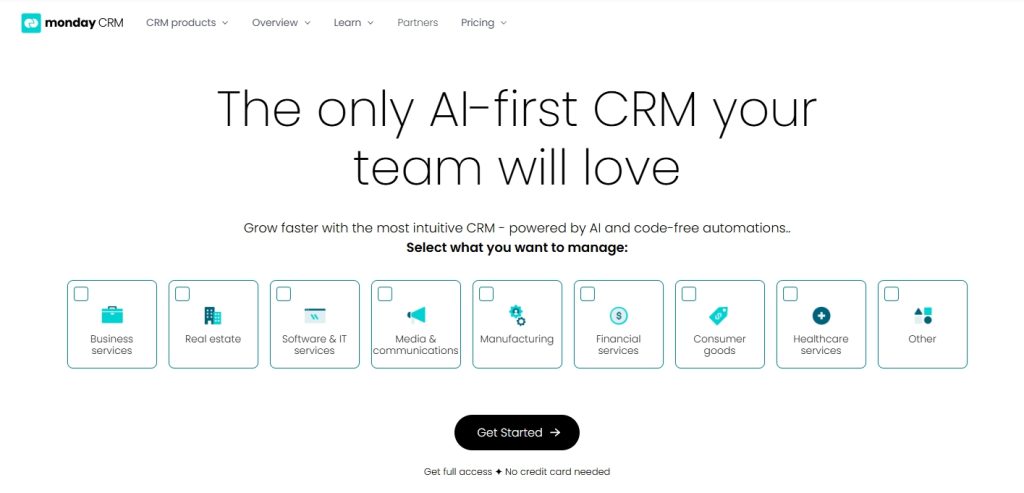
Monday.com‘s Sales CRM is a highly visual, collaborative platform built on the company’s popular work management system. Its flexibility and visual approach make it ideal for shops that want to customize their customer management process.
Key Features:
- Visual boards with customizable columns and views
- Contact and deal management
- Email integration with templates
- Automation and workflow rules
- Custom dashboards and reporting
- Mobile apps for iOS and Android
- Integration with 200+ apps (Gmail, Outlook, Zapier)
- Collaboration features for team communication
- Activity timeline for customer interactions
Pricing:
- Basic CRM: $12/seat/month (3 seats minimum)
- Standard CRM: $17/seat/month (automation, integrations)
- Pro CRM: $28/seat/month (time tracking, advanced reporting)
- Enterprise: Custom pricing (advanced security, dedicated support)
Pros:
- Extremely visual and intuitive
- Highly customizable to fit any workflow
- Excellent for team collaboration
- Strong automation capabilities
- Beautiful, modern interface
- Can manage multiple aspects of business beyond just CRM
Cons:
- 3-seat minimum even for small operations
- Can become expensive as team grows
- Not specialized for auto repair
- Learning curve for maximizing customization
- No built-in calling or SMS features
- Reporting less robust than dedicated CRM platforms
Best For: Visual thinkers and shops that want a flexible platform that can handle CRM, project management, and team collaboration in one system.
12. Insightly
Overview:
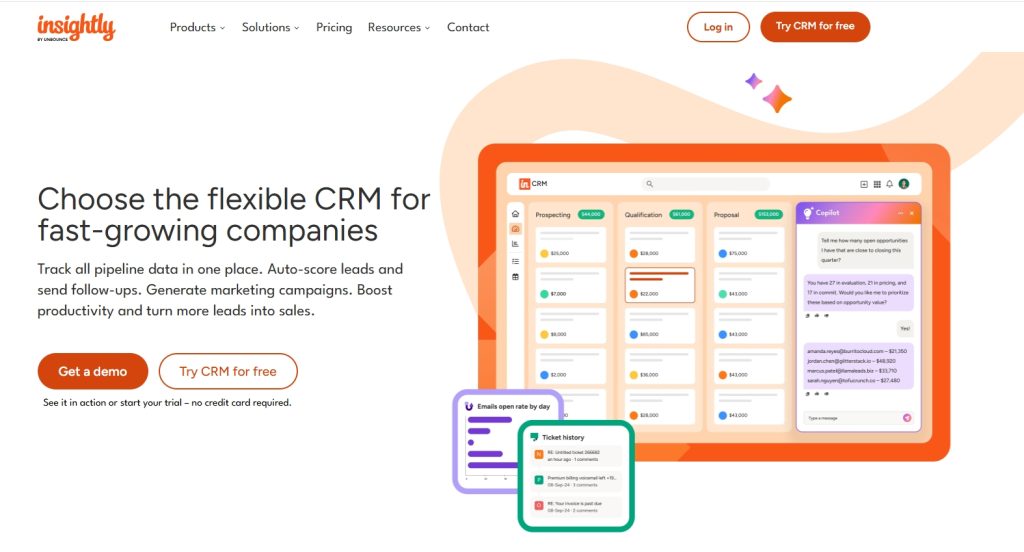
Insightly is a CRM platform designed for small to medium-sized businesses with strong project management capabilities. Its ability to link customer relationships to specific projects makes it suitable for shops tracking complex repairs or fleet accounts.
Key Features:
- Contact and organization management
- Project management linked to customer records
- Pipeline and opportunity tracking
- Email tracking and templates
- Workflow automation
- Custom fields and page layouts
- Mobile apps for iOS and Android
- Integration with G Suite, Office 365, and 500+ apps
- Task management and reminders
Pricing:
- Plus: $29/user/month (contact management, basic projects)
- Professional: $49/user/month (workflow automation, custom branding)
- Enterprise: $99/user/month (advanced customization, validation rules)
Pros:
- Unique project management integration
- Good for managing complex customer relationships
- Strong customization options
- Reasonable pricing for features offered
- Good email integration
- Reliable mobile apps
Cons:
- No free plan (14-day trial only)
- Higher starting price than competitors
- Interface can feel dated compared to newer platforms
- Limited marketing automation
- No built-in phone system
- Steeper learning curve for project features
Best For: Shops handling fleet accounts or complex repair projects that want to link customer relationships with ongoing service work.
13. Nimble
Overview:
Nimble is a “social CRM” that automatically enriches contact data from social media profiles and web sources. Its focus on relationship intelligence makes it ideal for shops that want to build personal connections with customers.
Key Features:
- Social media integration (LinkedIn, Twitter, Facebook)
- Automatic contact enrichment with social profiles and company data
- Unified inbox for emails and messages across platforms
- Contact management with relationship history
- Pipeline and deal tracking
- Email tracking and templates
- Task and calendar management
- Mobile apps for iOS and Android
- Browser extension for “CRM everywhere” functionality
Pricing:
- Nimble Business: $24.90/user/month (annual billing)
- No free plan (14-day trial available)
Pros:
- Unique social media integration
- Automatically enriches contact information
- Browser extension works within Gmail, Outlook, LinkedIn
- Simple, clean interface
- Good for building personal customer relationships
- Single pricing tier simplifies decision
Cons:
- More expensive than some competitors
- No free plan
- Limited automation capabilities
- Basic reporting functionality
- No built-in invoicing or payment processing
- Single pricing tier means no upgrade path for advanced features
Best For: Shops that emphasize personal customer relationships and want to track social media interactions alongside traditional CRM data.
14. Copper (formerly ProsperWorks)
Overview:
Copper is a CRM built specifically for Google Workspace users, offering seamless integration with Gmail, Google Calendar, and Google Drive. Its focus on reducing manual data entry makes it efficient for busy shop managers.
Key Features:
- Deep Google Workspace integration
- Automatic contact and activity capture from Gmail
- Pipeline management with customizable stages
- Task and project management
- Email tracking and templates
- Workflow automation
- Mobile apps for iOS and Android
- Integration with popular business tools
- Chrome extension for quick access
Pricing:
- Basic: $12/user/month (3-user minimum, basic pipeline management)
- Professional: $29/user/month (workflow automation, advanced reporting)
- Business: $69/user/month (custom fields, bulk emailing, advanced permissions)
- Enterprise: $134/user/month (dedicated support, advanced security)
Pros:
- Best-in-class Google Workspace integration
- Reduces manual data entry significantly
- Clean, intuitive interface
- Works within Gmail inbox
- Good mobile experience
- Automatic activity logging
Cons:
- Requires Google Workspace (not ideal for Microsoft 365 users)
- 3-user minimum even for small shops
- Limited customization compared to competitors
- No built-in phone or SMS features
- Reporting capabilities less robust than enterprise platforms
- Can become expensive for larger teams
Best For: Shops already using Google Workspace (Gmail, Google Calendar, Google Drive) who want seamless CRM integration without leaving their email inbox.
15. Keap (formerly Infusionsoft)
Overview:
Keap is a CRM with powerful marketing automation designed for small businesses. Its focus on automated follow-up sequences and appointment scheduling makes it valuable for shops wanting to reduce no-shows and improve customer retention.
Key Features:
- Contact management with detailed customer profiles
- Advanced marketing automation and email sequences
- Appointment scheduling with calendar integration
- Pipeline management and sales automation
- Text message marketing (additional cost)
- Payment processing and invoicing
- Landing pages and web forms
- Mobile app for iOS and Android
- E-commerce capabilities
Pricing:
- Lite: $249/month (2 users, 1,500 contacts, basic automation)
- Pro: $349/month (3 users, 2,500 contacts, advanced automation)
- Max: Custom pricing (unlimited users and contacts, dedicated support)
- All plans include onboarding and training
Pros:
- Powerful marketing automation
- Appointment scheduling reduces no-shows
- Payment processing built-in
- Strong email marketing capabilities
- Comprehensive onboarding and training included
- Good for shops focused on customer retention
Cons:
- Significantly more expensive than alternatives
- Steep learning curve despite training
- Overkill for shops just needing basic CRM
- Text messaging costs extra
- No free plan or free trial (demo only)
- Can feel overwhelming with features
Best For: Established shops with marketing budgets who want sophisticated automation for customer retention campaigns and are willing to invest time in setup and training.
16. Streak
Overview:
Streak is a unique CRM that lives entirely within Gmail, making it the ultimate lightweight solution for shops that want customer management without leaving their email inbox.
Key Features:
- Works 100% inside Gmail
- Pipeline management with customizable stages
- Email tracking (opens, clicks, views)
- Mail merge for bulk personalized emails
- Task reminders and scheduling
- File sharing directly in email threads
- Collaboration features for team
- Mobile apps for iOS and Android
- Integration with Google Sheets for reporting
Pricing:
- Free: 1 user, 500 contacts, basic features
- Solo: $15/user/month (unlimited pipelines, advanced features)
- Pro: $49/user/month (team collaboration, reporting)
- Enterprise: $129/user/month (data validation, API access)
Pros:
- Extremely simple to learn and use
- No separate platform to log into
- Very affordable, including free plan
- Perfect for Gmail users
- Lightweight and fast
- Good email tracking features
Cons:
- Limited to Gmail users only
- Very basic compared to full CRM platforms
- No marketing automation
- Limited reporting and analytics
- No built-in phone or SMS
- Not suitable for complex sales processes
Best For: Small shops or solo operators who live in Gmail and want simple customer tracking without the complexity of a full CRM platform.
17. Capsule CRM
Overview:
Capsule CRM is a straightforward, affordable platform focused on contact management and relationship tracking. Its simplicity and transparent pricing make it accessible for shops wanting to professionalize customer relationships without overwhelming features.
Key Features:
- Contact and organization management
- Sales pipeline tracking
- Task and calendar management
- Email integration and templates
- Custom fields and tags
- Basic reporting and dashboards
- Mobile apps for iOS and Android
- Integration with popular tools (Mailchimp, Xero, QuickBooks)
- 50 GB file storage included
Pricing:
- Free: 2 users, 250 contacts
- Starter: $18/user/month (30,000 contacts, custom fields)
- Growth: $36/user/month (workflow automation, advanced permissions)
- Advanced: $54/user/month (multiple pipelines, forecasting)
- Ultimate: $72/user/month (unlimited storage, priority support)
Pros:
- Simple, clean interface
- Generous free plan for small shops
- Transparent, predictable pricing
- Easy to learn and implement
- Good email integration
- Affordable for multiple users
Cons:
- Limited advanced features
- Basic automation compared to competitors
- No built-in marketing tools
- Reporting capabilities are basic
- No phone or SMS functionality
- May outgrow it as business scales
Best For: Small to medium shops that want a clean, simple CRM for managing customer relationships and tracking opportunities without unnecessary complexity.
Comparison Table: General CRMs for Auto Repair Shops
| CRM | Starting Price | Free Plan | Best Feature | Ideal Shop Size |
|---|---|---|---|---|
| HubSpot | Free | Yes | Marketing automation | All sizes |
| Zoho CRM | Free | Yes | Customization | Small to medium |
| Salesforce Essentials | $25/user/month | No | Scalability | Growing/Multi-location |
| Pipedrive | $14/user/month | No | Visual pipeline | Small to medium |
| Freshsales | Free | Yes | Built-in phone | All sizes |
| Monday.com | $12/seat/month | No | Visual collaboration | Small to medium |
| Insightly | $29/user/month | No | Project management | Medium |
| Nimble | $24.90/user/month | No | Social integration | Small to medium |
| Copper | $12/user/month | No | Google Workspace | Small to medium |
| Keap | $249/month | No | Marketing automation | Medium to large |
| Streak | Free | Yes | Gmail integration | Small/Solo |
| Capsule | Free | Yes | Simplicity | Small to medium |
Choosing the Right General CRM for Your Auto Shop
While specialized auto repair software offers industry-specific features like repair order management and parts inventory, general CRMs excel at customer relationship management, marketing automation, and sales pipeline tracking.
Consider a general CRM if:
- You already use separate software for repair orders and invoicing
- You want powerful marketing automation for customer retention
- You need advanced reporting and analytics
- You’re planning significant business growth and need scalability
- You want to integrate with a wide ecosystem of business tools
Key factors to evaluate:
- Budget: Free plans (HubSpot, Zoho, Freshsales, Streak, Capsule) vs. paid-only options
- Team size: Minimum user requirements and per-user pricing
- Technical comfort: Simple (Streak, Capsule, Pipedrive) vs. complex (Salesforce, Zoho, Keap)
- Existing tools: Gmail users (Streak, Copper), Google Workspace (Copper), Microsoft 365 (others)
- Growth plans: Will you outgrow the platform in 2-3 years?
Pro tip: Most platforms offer free trials. Test 2-3 options with your actual customer data before committing to see which interface and workflow fits your shop’s daily operations best.
Conclusion
The right CRM can transform your auto repair shop by streamlining customer management and driving conversions. Shopmonkey excels for ease of use, AutoLeap for franchises and tire shops, Mitchell1 for specialty repairs, Orderry for budget-conscious shops, and Tekmetric for scaling businesses. Evaluate your shop’s size, specialization, and budget, then test a system with a free trial to find the best fit. Start with one of these CRMs today to boost customer loyalty and grow your revenue.